Gling AI Referral Code & Promo Code (November 2026)
Link checked
Ad/affiliate disclosure: this post contains affiliate links. If you sign up through one I may receive a referral payment, at no extra cost to you and with no reduction to any bonus. I only recommend products I have used myself.
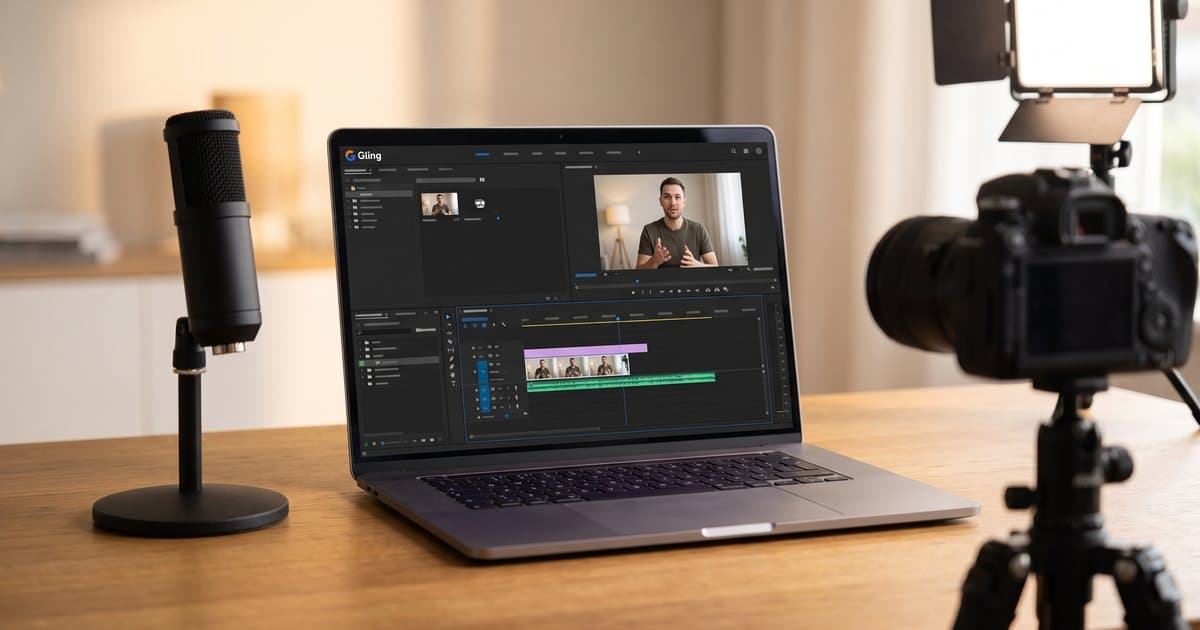
This page contains affiliate links. If you sign up through my link I may earn a commission at no extra cost to you. I only recommend tools I personally use, and Gling is the editor I use for my own talking-head videos.
Looking for a working Gling AI referral code? You're in the right place.
Most coupon sites are stuffed with fake Gling "promo codes" that expired months ago or never worked at all. I use Gling to edit my own talking-head videos, so this page sticks to what really gets you the best price today, not a made-up voucher.
The short version: Gling handles its pricing through a tracked referral link and annual billing, not type-in codes. So the referral link is the code. Click mine, choose annual billing, and you get the best deal available.
Try Gling AI free or save up to 50% on annual plans
On this page I break down the current Gling deal, the pricing by plan, how I use it for talking-head editing, the honest trade-offs, and straight answers to the most common questions.
My Gling AI Referral Code (August 2026)
Gling handles discounts through tracked links and annual billing rather than old-school type-in vouchers.
That means the referral link is the code.
When you click my link, tracking is added automatically. You do not need to type anything at checkout.
Referral Link: https://gling.ai/?via=mike-mcdonnell
To keep this transparent:
- This is a referral and affiliate link.
- You get the best currently available deal, which is up to 50% off with annual billing.
- I may earn a small commission if you sign up.
- You do not pay a penny more for using my link.
Code type: Referral link (auto-applied, no code to type)
Discount: Up to 50% off with annual billing
Free option: Free plan, 1 hour a month, no card needed
Verified: August 2026
All Current Gling AI Deals (August 2026)
Here are the offers that are genuinely live and reliable.
| Deal | What You Get | Best For |
|---|---|---|
| Annual Billing (Best Deal) | 50% off the monthly price on any paid plan | Anyone editing video weekly |
| Free Plan | 1 hour of AI editing a month, watermarked, no card | Testing before you pay |
| Referral Link | Tracks your signup and applies the best available price | The easiest valid setup |
Important: Gling rarely issues traditional coupon codes you type at checkout. Most "50% off Gling promo codes" on coupon directories are just describing the annual billing discount that everyone gets anyway. The reliable route is a working referral link plus annual billing.
If you remember one thing from this page: use the referral link and choose annual billing.
Gling AI Pricing (2026)
Here is the practical pricing view for UK users. Gling bills in US dollars, so the pound figures are approximate and depend on the exchange rate at checkout.
| Plan | Monthly (USD) | Annual (per month) | Editing Hours | Key Features |
|---|---|---|---|---|
| Free | $0 | $0 | 1 hour/month | All core AI editing, watermarked exports, no XML export |
| Plus | $20/mo | $10/mo (billed annually) | 10 hours/month | No watermark, XML export to desktop editors |
| Pro | $40/mo | $20/mo (billed annually) | 30 hours/month | Everything in Plus, premium support |
| Elite | $100/mo | $50/mo (billed annually) | 100+ hours/month | Everything in Pro, highest volume |
Prices are in US dollars. Annual billing is 50% cheaper than monthly. Fees and plan names can change, so Gling's pricing page is the source of truth before you sign up.
Every paid plan has the same features. The only thing that changes as you go up the tiers is how many hours of AI editing you get each month. For most solo creators, Plus at $10/mo on annual billing is plenty.
How to Use My Gling AI Referral Link
Follow these steps and you will not miss the discount:
- Click my referral link: https://gling.ai/?via=mike-mcdonnell
- You land on Gling with referral tracking applied automatically.
- Start on the free plan, or pick Plus, Pro or Elite.
- Choose annual billing for the biggest saving, up to 50% off.
- Upload a raw talking-head recording and let Gling make the rough cut.
- Review the cut, then export the video or an XML for your desktop editor.
There is no promo field to worry about. The referral tracking runs through the link, so you do not type anything manually.
What is Gling AI?
Gling is an AI video editor built for one specific job: cleaning up talking-head footage. You record yourself speaking to camera, upload the raw file, and Gling gives you back a tidy rough cut in minutes.
It was founded in 2022 by Sefi Keller and Yonatan Bendahan, and it is now used by more than 50,000 creators, including well-known YouTubers like Shelby Church and DamiLee.
Here is what it does under the bonnet. Gling transcribes your footage, then scans for the boring bits: long silences, filler words like "um" and "uh", lines you repeated, and takes you fluffed. It cuts them automatically. Because the editing is text-based, you can also delete a sentence from the transcript and watch the matching video disappear, which is a much faster way to edit than dragging clips around a timeline.
Core features include:
- Automatic silence removal so dead air between sentences is trimmed.
- Filler-word detection that strips out "um", "uh" and "like".
- Bad-take and repeat-line removal so your best take is the one that stays.
- Text-based editing where deleting words deletes video.
- AI captions and subtitles ready to burn in or export.
- YouTube titles and chapters generated from the transcript.
- XML export to Premiere Pro, Final Cut Pro and DaVinci Resolve on paid plans.
A 60-minute raw recording typically gets its first rough cut in under five minutes. That is the part that saves the hours.
Who is Gling AI For?
Gling is worth it if you make dialogue-driven video and hate the trimming.
It is for:
- YouTubers shooting talking-head videos, tutorials and vlogs.
- Course creators and coaches turning recorded lessons into clean videos.
- Founders and marketers making to-camera explainers for their brand.
- Podcasters who film their episodes and want the video tidied.
- Anyone who records in one take and spends ages cutting out the gaps.
It is not for:
- People making short-form-only content from scratch (use Opus Clip to clip long videos into Shorts instead).
- Editors who need frame-perfect control over every cut from the first pass.
- Music videos, montages, or anything that is not someone talking.
How I Use Gling AI
I record talking-head videos for my personal brand and for Glide Marketing, my UK agency. Before Gling, the worst part of the job was not filming, it was the tedious first edit: scrubbing through the recording cutting out every pause and every "um". A 20-minute video could eat an hour before I had done anything creative.
Now the workflow is: film in one take, upload the raw file to Gling, and let it do the first pass while I make a coffee. By the time I am back, I have a rough cut with the silences and filler gone.
What I like:
- It kills the boring part of editing. The silence and filler removal on a long take is the single biggest time saver in my whole video process.
- Text-based editing is fast. Reading the transcript and deleting a rambly paragraph is quicker than hunting for the clip on a timeline.
- The free plan is a real test, not a demo. One hour a month with all the core features meant I could try it on a proper video before paying.
- It exports to a real editor. I can do the rough cut in Gling, then send the XML to my desktop editor for the finishing touches.
- The AI titles and chapters give me a decent starting point for the YouTube upload instead of a blank box.
What's worth knowing:
- It is a rough cut, not a finished edit. Precision sits around 77 percent, so roughly one in four filler moments survives. Budget about ten minutes of manual cleanup after the AI pass.
- It sometimes cuts pauses you wanted. If you use deliberate silence for emphasis, watch for it trimming a dramatic beat. The "Natural" sensitivity setting helps, but check it.
- Pricing is in US dollars. Your UK card is billed at the exchange rate on the day, so the pound figure moves a little.
- The free plan watermarks exports. Fine for testing, but you need a paid plan to publish clean.
- It only helps with talking. It does nothing for b-roll, graphics or music-led edits. It is a specialist, not an all-rounder.
For me the maths is easy. On the annual Plus plan it costs about the price of two coffees a month and saves me an hour on every video. If you publish to camera regularly, that is a straightforward yes.
Gling AI vs the Alternatives
| Feature | Gling AI | Opus Clip | Descript | Manual editing |
|---|---|---|---|---|
| Main job | Clean up long talking-head video | Clip long video into Shorts | Full text-based editor + screen record | Everything, by hand |
| Removes silence and filler | Yes, automatically | Partly | Yes | You do it |
| Best for | Talking-head creators | Repurposing to short-form | All-round editing | Full creative control |
| Free option | 1 hour/month | 60 min/month | Limited free tier | Free (your time) |
| Starting paid price | ~$10/mo annual | ~$15/mo | ~$16/mo | N/A |
Gling and Opus Clip are the pairing I use most. Gling edits the main talking-head video, then Opus Clip slices that finished video into vertical clips for TikTok, Reels and Shorts. They are not really competitors, they are two steps in the same production line.
Is Gling AI Worth It?
For talking-head content, my honest answer is yes.
Start free. Upload one real recording and see how clean the rough cut is for your speaking style. If you talk with lots of deliberate pauses, spend a few minutes checking the sensitivity settings.
Then go annual. Once you know it saves you time, annual billing halves the price. Plus at $10/mo is the sweet spot for most solo creators; only move up to Pro or Elite if you genuinely need more than 10 hours of editing a month.
If your content is not people talking to camera, Gling is the wrong tool and you should not pay for it. That is the honest test.
Gling Referral Code vs Coupon Code vs Promo Code
People search for all of these, so here is the plain version.
Referral link. A tracked link from a user or affiliate. It attaches tracking automatically and qualifies you for the current offer. That is what this page uses.
Coupon code. A text code you type at checkout, like SAVE20. Gling does not regularly run public type-in coupons.
Promo code. Usually the same thing as a coupon. Most Gling "promo codes" floating around are either expired or are just describing the standard annual discount.
Discount code. A catch-all term that can mean any of the above.
Bottom line: the most reliable Gling discount is annual billing plus a valid referral link. That is exactly what you get here.
Gling AI Affiliate Programme
If you were searching for the Gling affiliate programme rather than a discount, here is the quick version. Gling runs a referral and affiliate programme where you earn a commission for creators who sign up through your link. You can find it inside your Gling account once you have verified your email, under the affiliate or referral section.
The link on this page is my referral link, meant for people who want to sign up and use Gling, not the affiliate signup page.
Frequently Asked Questions
Is there a working Gling AI referral or promo code for August 2026?
Gling rarely issues type-in promo codes, and most "codes" on coupon sites are expired or were never valid. The reliable way to get the best price is a tracked referral link plus annual billing, which is up to 50% cheaper than monthly. Use my link on this page to sign up with tracking applied automatically.
How much can you save on Gling AI?
The biggest saving is annual billing at 50% off the monthly price on every paid plan. That is Plus from $20 to $10/mo, Pro from $40 to $20/mo, and Elite from $100 to $50/mo. There is no separate stacked code; annual billing is the discount.
Does Gling AI have a free plan or free trial?
Gling has a permanently free plan rather than a time-limited trial. It gives you 1 hour of AI editing a month with all the core features, but exports are watermarked and you cannot export XML to a desktop editor. No card is needed.
How much does Gling AI cost?
Plus is $20/mo, or $10/mo billed annually, for 10 hours a month with no watermark. Pro is $40/mo, or $20/mo annually, for 30 hours plus premium support. Elite is $100/mo, or $50/mo annually, for 100+ hours. All prices are in US dollars.
What is Gling AI used for?
Gling edits talking-head video. It takes raw footage of someone speaking to camera and removes silences, filler words, repeated lines and bad takes automatically, then generates captions, chapters and YouTube titles.
Does Gling AI remove filler words and silences automatically?
Yes. It transcribes your footage and cuts silences and filler like "um" and "uh" for you. Precision is around 77 percent, so expect about ten minutes of manual cleanup after the AI pass, which is still far quicker than editing from scratch.
Can I export Gling edits to Premiere Pro or Final Cut?
Yes, on the paid plans. Gling exports an XML that opens in Premiere Pro, Final Cut Pro or DaVinci Resolve, so you can rough-cut in Gling and finish in your usual editor. XML export is not on the free plan.
Is Gling AI better than Opus Clip?
They do different jobs. Gling cleans up a full long-form talking-head video; Opus Clip slices a finished video into short vertical clips. I use both together rather than choosing between them.
How do I cancel Gling AI?
You can cancel from your account settings at any time and keep access until the end of your paid period. Because the free plan is genuinely useful, the low-risk approach is to test on free first, then move to annual billing once you know it saves you time.
Ready to Try Gling AI?
Use my referral link to start on the free plan, or save up to 50% by choosing annual billing on a paid plan:
If you have any questions about Gling or want to know more about my talking-head workflow, feel free to reach out.
Want the longer verdict before you commit? My full Gling AI review covers five months of paid use: the real record-to-publish ratio, the proper nouns it keeps mis-hearing, and why I kept paying after building my own version to about 90 percent.
Looking for more of the AI tools I use to run a UK agency? Check out my other guides:
- Opus Clip: turn your finished Gling videos into short-form clips, up to 50% off annual plans
- Wispr Flow: voice-to-text dictation, 1 free month of Pro with code MIKE454
- Fyxer AI: AI email triage, $25 off any plan
- Best AI tools for UK entrepreneurs 2026: my full working stack
- Fiverr review: when it is quicker to hire out the edit than learn a tool
Last verified: August 2026. I update this page so the month and the offer details stay current.
Mike McDonnell. I write The Growth Toolkit, a free Sunday email on making more profit with AI, with the setups I use in my own business explained in plain English.
Other referral codes worth using
Want more of my posts in your Google results? Add mikemcdonnell.co.uk as a preferred source on Google

Mike McDonnell
Entrepreneur, author, and mental health advocate based in Great Notley, Braintree, Essex. I write about building businesses while managing bipolar disorder.
You might also like
Gling AI Review: Five Months of Real Edits (November 2026)
My honest Gling AI review after five months editing talking-head videos with it. What it does well, what it gets wrong, and who should skip it.
Lovable Promo Code and Discounts: What Works (November 2026)
Looking for a Lovable promo code? There is no public code. Here are the discounts that work in November 2026, from 50% off for students to free credits.
Lovable Review: Pricing, Credits and Who It Suits (November 2026)
An honest Lovable review from someone who has built live tools with it. UK pricing, how credits work, the free plan, GitHub and who should pick something else.