
Fyxer AI Promo Code 2026: $25 Off, and Why I Stopped Using It
Link checked
Ad/affiliate disclosure: this post contains affiliate links. If you sign up through one I may receive a referral payment, at no extra cost to you and with no reduction to any bonus. I only recommend products I have used myself.
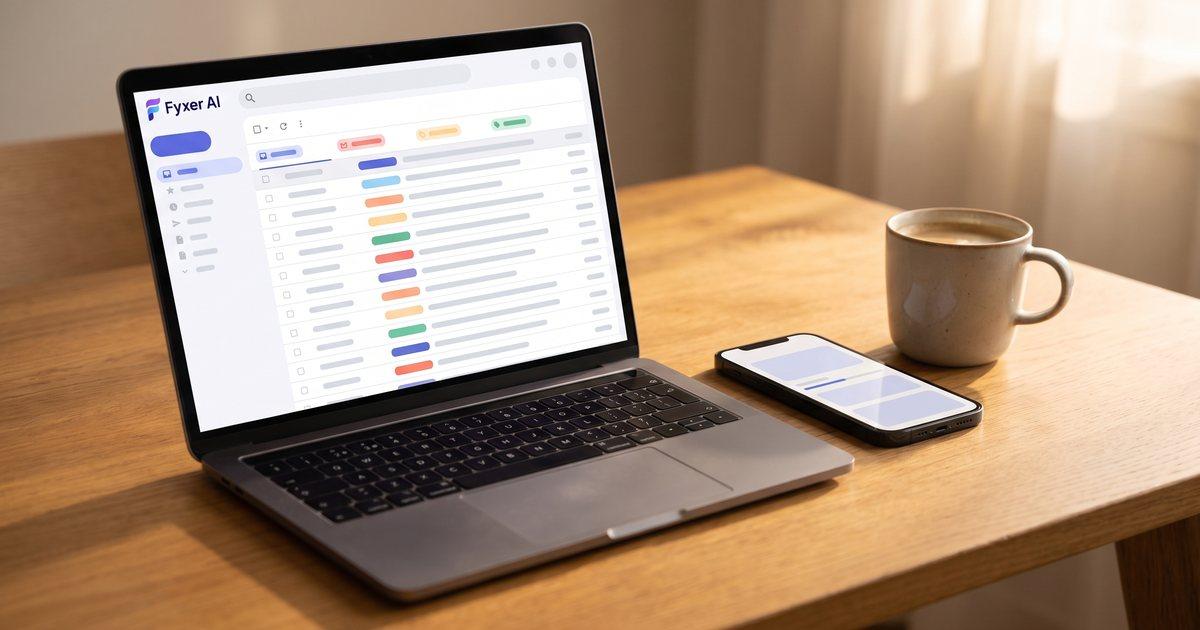
Looking for a Fyxer AI promo code? There isn't one to type. Fyxer runs on referral links, and mine gives you $25 off any Starter or Professional plan, monthly or annual.
Get $25 off Fyxer AI with my referral link
Now the bit the other discount pages will not tell you: I do not use Fyxer any more.
I used it daily for months running Glide Marketing, it did what it promised, and I have since replaced it with a custom email agent I built with Claude. The rule on this site is that I only give a live recommendation to tools I currently use, so this page is no longer one. It is a working discount plus an honest account of what Fyxer does well, what it costs, and why I left.
If you want the short version: Fyxer is a good product and the reason I moved off it says more about me than about it. Read on and decide for yourself.
What Is the Fyxer AI Referral Offer?
Here's the deal:
When you sign up to Fyxer AI through my referral link, you get $25 off your subscription. That applies whether you choose the Starter or Professional plan, monthly or annual billing.
From my side, the scheme paid $50 in credit for every person who signed up through my link while I was an active user. I am disclosing that because you should know what the incentive is on a page like this one. I have not re-verified the referrer side since May 2026 and I am no longer a Fyxer customer, so treat that $50 as what it paid then rather than a current figure. Your $25 is the part that matters to you, and that is what the link applies.
The discount applies automatically when you use my referral link. No code to enter manually, no messing around. Just click, sign up, and the discount is there.
How to Use My Fyxer AI Referral Code
There's no code to copy and paste. Everything works through the referral link:
1. Click my referral link: Get $25 off Fyxer AI here
2. Create your account. Sign up with your email address. Takes about 30 seconds.
3. Connect your inbox. Fyxer works with both Gmail and Outlook. One-click connection, no complicated setup. It syncs instantly and starts learning your email patterns.
4. Connect your calendar (optional). If you want meeting notes and follow-up drafting, link your Google Calendar or Outlook calendar too.
5. Choose your plan. Pick Starter or Professional based on your needs. The $25 discount applies at checkout.
6. Let Fyxer do its thing. Within a few hours, Fyxer starts organising your inbox, learning your writing style, and drafting replies. It gets better over time as it studies how you communicate.
That is about five minutes of setup. The seven-day trial is the part worth using properly: give it a genuinely busy week rather than a quiet one, because the value is entirely in how much email volume it takes off you.
What Is Fyxer AI and What Does It Do?
Fyxer AI is an AI email assistant that sits on top of your existing Gmail or Outlook inbox. You don't switch email apps. You don't change how you work. Fyxer just works in the background, handling the admin that eats up your day.
It does three main things:
Email organisation. Fyxer automatically sorts your inbox using AI. It labels and categorises emails, separating the stuff you need to act on from newsletters, notifications, and noise. Your inbox goes from overwhelming to manageable without you lifting a finger.
AI reply drafting. This is where Fyxer really shines. It analyses your past emails to learn your writing style, your tone, your typical responses. Then it drafts replies for you. Not generic, robotic replies. Replies that sound like you wrote them. You review, tweak if needed, and send. What used to take 5 minutes per email now takes 30 seconds.
Meeting notes and follow-ups. Connect your calendar and Fyxer joins your meetings (Google Meet, Zoom, or Teams). It takes notes, pulls out action items, and drafts follow-up emails automatically. No more scrambling to remember what was discussed or who agreed to do what.
The setup is genuinely one-click. Connect your inbox, and Fyxer handles the rest. No configuration, no training period where you have to manually teach it things. The AI studies your patterns and adapts.
Why I Stopped Using Fyxer AI
I run Glide Marketing, an SEO and marketing agency. That means a lot of client emails, a lot of meetings, and a lot of follow-ups. Before Fyxer, I was spending at least an hour and a half a day managing my inbox. Reading, replying, filing, chasing. Productive work, but not the work that grows the business.
Fyxer cut that down, and I want to be fair to it before I explain why I left. The inbox sorting saved me around 20 minutes a day, because I stopped wading through newsletters to find the emails that mattered. The reply drafting saved another 30 to 40. The meeting notes meant I was not spending a quarter of an hour after every call writing up what had been said. Call it an hour a day. That is a real product doing a real job, and the money was not the problem.
The things it genuinely did well, from months of daily use:
- It learned my style. The drafts sounded like me. It had picked up my tone, my sign-offs and how I structure a reply.
- The sorting was smart. Not a crude important-versus-other split. Categories that matched how I work.
- The meeting notes were accurate. I compared them against my own and they held up.
- It did not make me change anything. Gmail, Google Calendar, Zoom, all still where they were.
So why did I stop? Because I build AI agents for a living, and eventually it made no sense to rent one. I replaced Fyxer with a custom email agent I built with Claude, which triages my inbox and drafts replies in my voice. That is the whole reason. Fyxer did not get worse, nothing beat it on features, and I did not fall out with the pricing. I wanted it to work exactly the way I work and to keep changing it whenever I changed my mind, which is not something you can do with anyone else's product.
If anything, leaving is the strongest thing I can say about the category. Email AI saved me enough time that I went and built my own.
That reason will not apply to most people reading this. If you are not going to build and maintain your own, then "buy the good one that already exists" is the correct answer, and Fyxer is a good one. The honest framing is that I was a customer who left for a reason specific to me, not a reviewer who found a flaw.
For the tools I do still use daily: Wispr Flow is voice-to-text that changed how I draft everything, and Opus Clip handles content repurposing. When a job is better given to a person than a tool, my Fiverr review covers when outsourcing is worth it.
Fyxer AI Referral: Full Breakdown
| Detail | Info |
|---|---|
| Your discount | $25 off subscription |
| My credit | $50 (what it paid while I was an active user) |
| Works with | Gmail, Outlook |
| Calendar support | Google Calendar, Outlook |
| Meeting support | Google Meet, Zoom, Teams |
| Free trial | 7 days |
| Setup time | Under 5 minutes |
| Annual billing discount | 25% off monthly price |
Fyxer AI Pricing
Fyxer offers three plans. Here's what you're looking at:
Starter Plan: $30/month (or $22.50/month billed annually). One inbox, one calendar. Includes email sorting, reply drafting, meeting notes, and chat support. This is the plan most individuals need.
Professional Plan: $50/month (or $37.50/month billed annually). Everything in Starter plus multiple inboxes and calendars, attachment reading and summarising, CRM integration, team scheduling, and tailored onboarding. This is the plan for power users and small teams.
Enterprise Plan: Custom pricing for teams of 50+. Everything in Professional plus dedicated account manager, SSO, team analytics, and custom security controls.
With my referral link giving you $25 off, the Starter plan effectively costs $5 for your first month, or the Professional plan costs $25. On annual billing, that $25 goes even further.
Both Starter and Professional come with a 7-day free trial, so you can test everything before committing. The trial gives you full access to all features.
Start your free trial with $25 off
Fyxer AI vs Other Email Tools
How does Fyxer compare to the alternatives?
Fyxer vs Superhuman. Superhuman is a dedicated email client that replaces Gmail. It's fast and well-designed, but it costs $30/month and requires you to switch email apps entirely. Fyxer works on top of your existing inbox, which means no disruption to your workflow. If you don't want to change email clients, Fyxer is the better choice.
Fyxer vs ChatGPT for emails. You can use ChatGPT to draft emails, but you have to copy and paste every time. There's no inbox integration, no automatic sorting, no meeting notes. Fyxer does everything automatically in the background. It's the difference between a manual process and an automated one.
Fyxer vs built-in AI features. Gmail and Outlook are adding AI features, but they're basic. Smart replies are limited, sorting is inconsistent, and there's no writing style learning. Fyxer is purpose-built for email productivity and does it properly.
Fyxer vs Missive/Gmelius. These are team email tools focused on shared inboxes and collaboration. If you need team features, they might suit you better. For individual productivity and AI-powered email management, Fyxer is more focused and effective.
For solo professionals and small business owners who want their inbox under control without switching email apps, Fyxer was the strongest option I tested. I have not run a fresh comparison since I moved off it in 2026, so treat that as a verdict with a date on it rather than a live ranking. This category moves quickly.
Is Fyxer AI Worth the Money?
The maths is straightforward. At $22.50 a month on annual billing, and less in your first period with the $25 off, Fyxer has to save you about half an hour a month to cover itself. It saved me roughly an hour a day. You do not need it to be anywhere near that good for the sum to work.
So if you handle more than about 20 emails a day, the price is not the question. The question is whether you would rather rent this or not have it, because there is no free tier to fall back on.
If you get a handful of emails and rarely have meetings, skip it. And if you are the sort of person who would end up building your own, you already know, and you should go and do that instead. That is the road I took, and I would not pretend it is the efficient choice for most people.
The seven-day trial is the honest way to settle it. Use it across a genuinely busy week, not a quiet one.
Who Is Fyxer AI Best For?
Fyxer works best for:
- Freelancers and consultants who manage client communication across multiple projects
- Agency owners handling client emails, team coordination, and meeting follow-ups
- Sales professionals who send dozens of emails daily and need quick, personalised replies
- Executives and managers drowning in inbox volume and meeting admin
- Small business owners who wear multiple hats and need to reclaim time from email
If email is a significant part of your working day, Fyxer will make a noticeable difference. It is less useful for people who barely check email or who work mostly in Slack. And it is the wrong purchase for anyone who is going to end up building their own agent, for the reasons in the section above.
Frequently Asked Questions
Does Fyxer AI have a referral code?
Fyxer uses referral links rather than codes. My referral link gives you $25 off your subscription automatically when you sign up through it, with nothing to enter manually. For the avoidance of doubt: I am no longer a Fyxer user, so this is a working discount rather than a recommendation from someone who still has it open.
How much do you save with a Fyxer AI referral?
You get $25 off your subscription. That applies to any plan. On the Starter monthly plan at $30, your first month effectively costs $5. On annual billing, the saving stretches even further.
Is Fyxer AI free?
Fyxer offers a 7-day free trial with full access to all features. After that, paid plans start at $22.50/month (annual billing) or $30/month. There's no permanently free tier.
Does Fyxer AI work with Gmail?
Yes. Fyxer integrates directly with Gmail via one-click connection. It also works with Outlook. You don't need to switch email clients. Fyxer sits on top of your existing inbox.
Does Fyxer AI work with Outlook?
Yes. Full Outlook support including inbox sorting, reply drafting, and calendar integration. Works with both personal and business Outlook accounts.
Is Fyxer AI safe and secure?
Fyxer takes security seriously. They don't store email content permanently, use encryption for data in transit and at rest, and comply with GDPR. Enterprise plans include SSO and custom security controls for added protection.
How does Fyxer AI learn my writing style?
Fyxer analyses your sent emails to understand your tone, vocabulary, typical phrases, and communication patterns. Over time, its drafts become more accurate and personal. Most users notice significant improvement within the first week or two.
Can Fyxer AI take meeting notes?
Yes. Connect your calendar and Fyxer joins your Google Meet, Zoom, or Teams calls. It transcribes the meeting, extracts action items, and drafts follow-up emails. You don't need to do anything during the meeting.
What's the difference between Starter and Professional?
Starter covers one inbox and one calendar with all core features. Professional adds multiple inboxes and calendars, attachment reading, CRM integration, and team scheduling. Most individuals are fine with Starter. Upgrade to Professional if you manage multiple email accounts or need CRM sync.
Can I cancel Fyxer AI anytime?
Yes. There's no lock-in contract. You can cancel your subscription at any time. If you're on annual billing, you'll keep access until the end of your billing period.
Want the $25 Off Anyway?
Plenty of people will read all of the above and still want it, and that is a perfectly sensible conclusion. Fyxer sorts your inbox, drafts replies that sound like you and handles meeting follow-ups, and it did all three well for me for months. My reason for leaving was that I build agents for a living, which is not most people's reason for anything.
Click here to get $25 off Fyxer AI with my referral link
Start on the seven-day trial and run it through a busy week. Connect your inbox, give it a few hours to learn your style, then judge it on how much email it takes off you rather than on the demo.
One last piece of housekeeping, because it is the sort of thing I would want told to me: I have not re-verified Fyxer's plan prices or the referral terms since May 2026, since both sit behind the product dashboard rather than on a public page. The $25 has held every time it has been checked, but check the number on screen before you pay.
For the AI tools I do still use running my UK agency, see my best AI tools for UK entrepreneurs 2026 guide.
Other referral codes worth using
Want more of my posts in your Google results? Add mikemcdonnell.co.uk as a preferred source on Google

Mike McDonnell
Entrepreneur, author, and mental health advocate based in Great Notley, Braintree, Essex. I write about building businesses while managing bipolar disorder.
You might also like
Tide Promo Code November 2026: No Separate Code, £100 Each
Tide has no separate promo code. The live offer is referral code JJ2WDY: £100 each after £500 of card spend in 90 days. Verified against Tide's own terms.
Best AI Tools for UK Entrepreneurs in 2026 (Tools I Actually Use)
Seven AI tools I actually use to run my UK SEO agency faster. Three come with real referral discounts. Verified August 2026 with UK pricing context.
Octopus Energy Review: 4 Years as a Real Customer (November 2026)
An honest Octopus Energy review after four years as a paying customer. Billing, the app, customer service, price vs the cap, and who should not switch.