
Gling AI Review: Five Months of Real Edits (October 2026)
Ad/affiliate disclosure: this post contains affiliate links. If you sign up through one I may receive a referral payment, at no extra cost to you and with no reduction to any bonus. I only recommend products I have used myself.
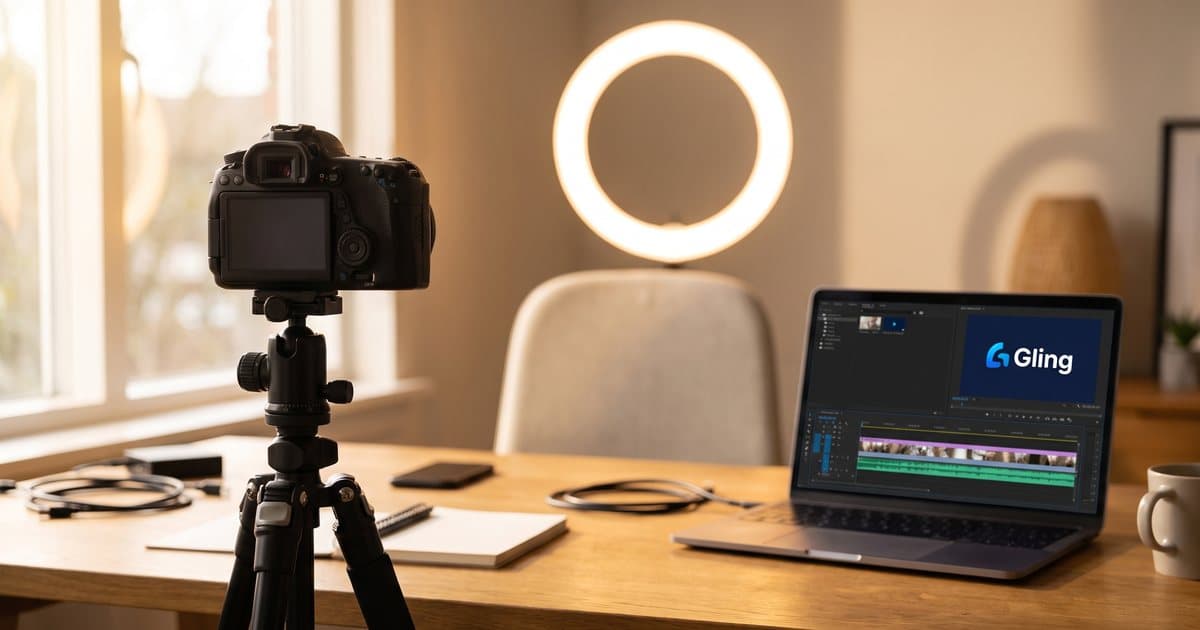
Most Gling AI reviews are written by somebody who uploaded a two minute test clip, took fourteen screenshots of the interface and then recommended a different tool at the bottom. This Gling AI review is not that. I have paid for Gling for five months and I edit my own YouTube videos with it, so what follows is what the tool is like once it is part of a weekly routine.
Short version: editing a video used to take me 3 or 4 hours. It now takes minutes plus a short tidy-up. I tried to build my own version of this and gave up. I still pay for it.
Try Gling on the free plan first. You get an hour of AI edited media a month with a watermark, which is enough to judge it on your own footage. If you already know you want it and you are after the current discount, my Gling AI referral code page has the link and the pricing breakdown.
What Gling AI does
You give it a raw talking-head recording. It transcribes the audio, then finds the silences, the filler words, the false starts and the takes where you said the same sentence three times. It marks all of that for removal and hands you a rough cut you can review as text rather than as a waveform.
The repeated-take handling is the part that earns the money, and it is genuinely good. You edit by deleting sentences from a transcript. There is no timeline to scrub, which is why it takes about ten minutes to learn.
How I use Gling every week
I record talking-head videos for The Growth Toolkit, my YouTube channel. My recordings are tighter than most people assume: about 15 minutes of raw footage for a 12 minute finished video. I am not recording an hour and cutting it to ten.
The routine is the same every time:
- Record the take.
- Upload to Gling. Processing takes 5 to 6 minutes.
- Read the transcript, accept the cuts, fix anything it has mis-heard.
- Download the export.
- Do the captions and the loudness master through Claude Code.
- Upload, with the SRT file as the YouTube captions.
That last step is worth calling out, because it is free and most people skip it. Gling gives you an SRT, and uploading it to YouTube as the captions file means the words in your video exist as text. Search engines and AI tools can then read what the video covers without processing the video itself. For a channel that is trying to be found, that is a real advantage for about thirty seconds of effort.
The loudness step matters too. Gling's export is a rough cut, not a finished upload, and it arrives quieter than YouTube wants. I bring it up to around -14 LUFS, which is the level creators generally master to, and I do that through Claude Code rather than opening a full editor.
I used Gling on my Wayfront review, which is where its one real weakness bit me.
The one thing it consistently gets wrong
Proper nouns.
Editing the Wayfront video, Gling rendered "Wayfront" as "Wavefront". Every single time. If I had accepted the transcript and generated captions from it, I would have published a review of a product with its name spelled wrong in my own subtitles, and then uploaded that same error to YouTube as the captions file.
It is not limited to that one word. Any term that is not common English is a candidate: brand names, product names, industry jargon. If your niche has vocabulary, and most business niches do, read the transcript properly before accepting anything.
That is the whole list. Five months in, it is the only thing I have to actively watch for.
I tried to build my own, and stopped
I had a go at building my own version of this. Cutting silences and filler out of a transcript-aligned video is the kind of job that looks very buildable when you are the sort of person who builds things.
I got to about 90 percent. It worked. It was not as good, and the last stretch was going to cost me real time to close.
Gling is about £15 a month and it already works. So I kept the subscription and went back to making videos. That is the honest build-versus-buy answer, and I say it as someone who defaults to building.
Gling AI pricing, and which plan you want
Verified against Gling's pricing page on 30 August 2026.
| Plan | Monthly | Billed annually | AI edited media | Watermark |
|---|---|---|---|---|
| Free | $0 | $0 | 1 hour a month | Yes |
| Plus | $20/mo | $10/mo | 10 hours a month | No |
| Pro | $40/mo | $20/mo | 30 hours a month | No |
| Elite | $100/mo | $50/mo | 100 hours a month | No |
Two things worth knowing as a UK buyer. Billing is in US dollars, so your real cost includes the exchange rate and any foreign transaction fee. I am on Plus billed monthly and it comes to roughly £15 a month.
The other is that the allowance counts footage you feed it, not videos you publish. Because I record about 15 minutes for a 12 minute video, 10 hours a month on Plus is comfortable for a weekly upload. If you record an hour for every ten minutes you publish, work your plan out from that ratio instead.
Annual billing halves the price if you are certain. I have stayed monthly, which costs more and keeps the option to stop.
What it does well
- Repeated takes. The best feature by a distance, and the one that saves the most time.
- Speed. 5 to 6 minutes of processing against 3 or 4 hours of manual editing.
- Low learning curve. If you can edit a document you can use it.
- The SRT export. Free, quick, and it makes your video readable as text.
- It knows what it is. It does not pretend to be an editor, so it does not get in the way of one.
What it does not do
- No colour, no graphics, no audio mixing. It assembles dialogue. That is the whole scope.
- Dialogue only. If your video is not somebody talking, there is nothing for it to work with.
- Proper nouns. Covered above. Budget a transcript read on every video.
- Loudness. The export needs a mastering pass before it goes up.
Who Gling suits, and who should skip it
Buy it if you publish talking-head video regularly and the first cut is the part you put off. That is my situation and it is why I keep paying.
Skip it if you publish occasionally, or your content is not dialogue-led. Gling is built for one person talking to a camera and it is very good at that. Point it at anything else and there is little for it to remove.
It is not an alternative to your main editor, and it is a different job from Opus Clip, which pulls short vertical clips out of a long video. Gling makes the long video better. Opus Clip turns it into shorts. I use both, in that order.
Is Gling AI worth it? My verdict
Yes, for the narrow thing it does.
The strongest argument I can make is not a feature. It is that I sat down and built a replacement, got most of the way there, and concluded that £15 a month was the better trade. I have dropped plenty of tools this year. This one survived a serious attempt to replace it with my own code.
If you are recording talking-head video every week and still cutting silences by hand, this is an easy yes. Start on the free plan and put a real recording through it. You will know within one video.
More guides like this
- Gling AI referral code and current discount
- Opus Clip referral code, for turning long videos into shorts
- Wispr Flow referral code, the dictation tool I write with
- Wayfront review, the agency platform, and the video that exposed Gling's transcription problem
- Best AI tools for UK entrepreneurs
Mike McDonnell. I write The Growth Toolkit, a free Sunday email on getting the most out of AI, with the setups I use explained in plain English.
Want more of my posts in your Google results? Add mikemcdonnell.co.uk as a preferred source on Google

Mike McDonnell
Entrepreneur, author, and mental health advocate based in Great Notley, Braintree, Essex. I write about building businesses while managing bipolar disorder.
You might also like
Gling AI Referral Code & Promo Code (October 2026)
Use my Gling AI referral link to get the best deal on the AI video editor I use for talking-head videos, plus a free plan to test it. Verified August 2026.
Hargreaves Lansdown Review (October 2026): My Honest Verdict
My Hargreaves Lansdown review from a real HL ISA customer. See the 2026 fees, how HL compares with AJ Bell, and get my verdict on who it suits.
Lovable Promo Code and Discounts: What Works (October 2026)
Looking for a Lovable promo code? There is no public code. Here are the discounts that work in October 2026, from 50% off for students to free credits.