
Desktronic Home Pro Review: 4 Months In (2026)
Link checked
Ad/affiliate disclosure: this post contains affiliate links. If you sign up through one I may receive a referral payment, at no extra cost to you and with no reduction to any bonus. I only recommend products I have used myself.
- Mike McDonnell8.5/10(1)
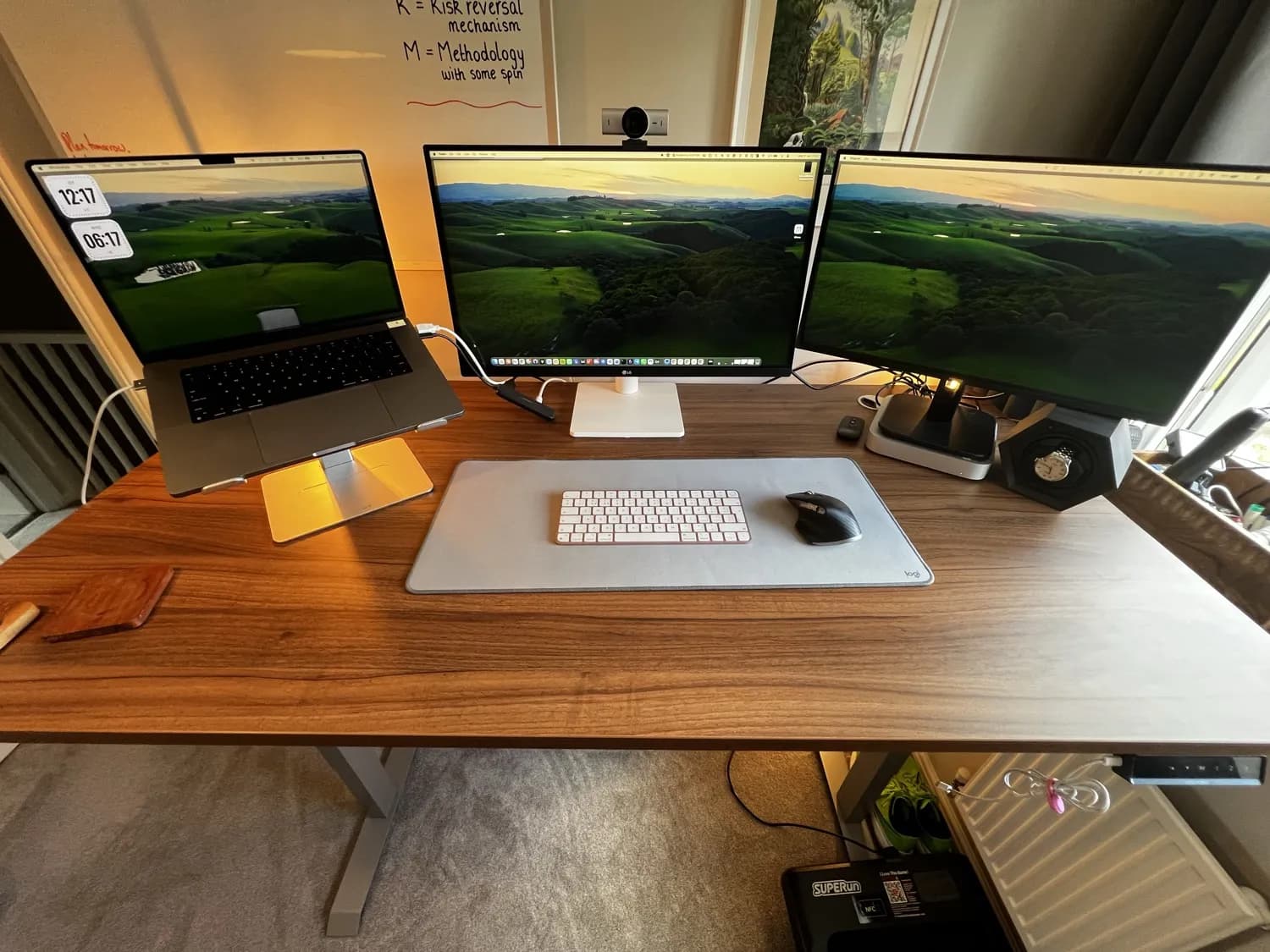
I have run my entire business from the Desktronic Home Pro for the last four months. Sat down, stood up, and walking on a treadmill underneath it, often for ten hours a day. This is my honest review with my own photos, not a spec sheet copied off a product page.
One thing to clear up first, because it trips people up when they search. Desktronic writes the name closed up, HomePro, on its own product pages and on Amazon. Plenty of buyers and reviewers write it as two words, Home Pro. It is the same desk either way, with no separate model and no different specification, and this review covers it however you spelled it.
Desktronic Home Pro review: the four-month verdict
Short verdict: 8.5 out of 10, and I would buy it again tomorrow. It is a genuinely solid, quiet desk with a thick walnut-effect top that has shrugged off four months of coffee, laptops and elbows without a mark.
| My score after 4 months | 8.5 out of 10 |
| What I paid | £380 for the 160cm by 80cm desk, top and frame |
| Best for | Heavy multi-monitor setups and walking pad users |
| The one real drawback | Mild wobble above roughly 90cm |
Get £15 off any Desktronic order over £200 with my link
Desktronic referral code: how to get £15 off
If you searched for a Desktronic referral code, here is the honest version. Desktronic does not use a code you type in at checkout. It runs a referral scheme through a link, and mine takes £15 off any Desktronic order over £200, applied automatically when you order through it.
Open my Desktronic referral link to get £15 off
There is nothing to copy or paste. Open the link, build an order over £200, and the £15 comes off your basket. It works on anything on the Desktronic site, not just the HomePro, so it covers the office chairs, accessories and the bigger desk sizes too. I earn a small commission if you buy, at no extra cost to you, which is what keeps this hands-on review honest and free to read. The rest of this page is my real four-month verdict on the desk you are about to discount.
The Desktronic HomePro at a glance
- Price I paid: £380 for the full 160cm by 80cm desk, top and frame, direct from Desktronic
- Frame: dual motor, three-stage legs, 160kg capacity
- Height range: roughly 63.5cm to 128cm with the top on
- Speed and noise: 50mm a second, under 39dB
- Controller: touchscreen with three memory presets, plus built-in USB-A and USB-C charging
- Warranty: 5 years
- Delivery: free, arrived in two days
Why I bought a standing desk in the first place
I work long hours at a screen, and sitting still all day is rough on your back and your energy. The NHS is clear that sitting for long unbroken periods is bad for us, and the simplest fix is to keep moving through the day. A height-adjustable desk lets me switch between sitting, standing and walking without stopping work.
The way I actually use it is in thirds. I sit for focused work that needs my hands steady, I stand for calls and admin, and I walk slowly during reading, thinking and meetings where I am not typing much. That rhythm has done more for my energy levels at 4pm than any amount of coffee. I am also a runner, so movement matters to me, and you can read more on that in my piece on why I joined a local run club.
My old desk was a cheap Amazon standing desk I paid somewhere around £60 to £80 for a few years back. It did the job, but it wobbled like mad the moment it was up, and the top was thin and flimsy. The Desktronic is a different class of product, and after four months I can say that properly rather than on first impressions.
How I actually use it every day
This is the part most reviews skip. Here is my real setup, not a staged one.
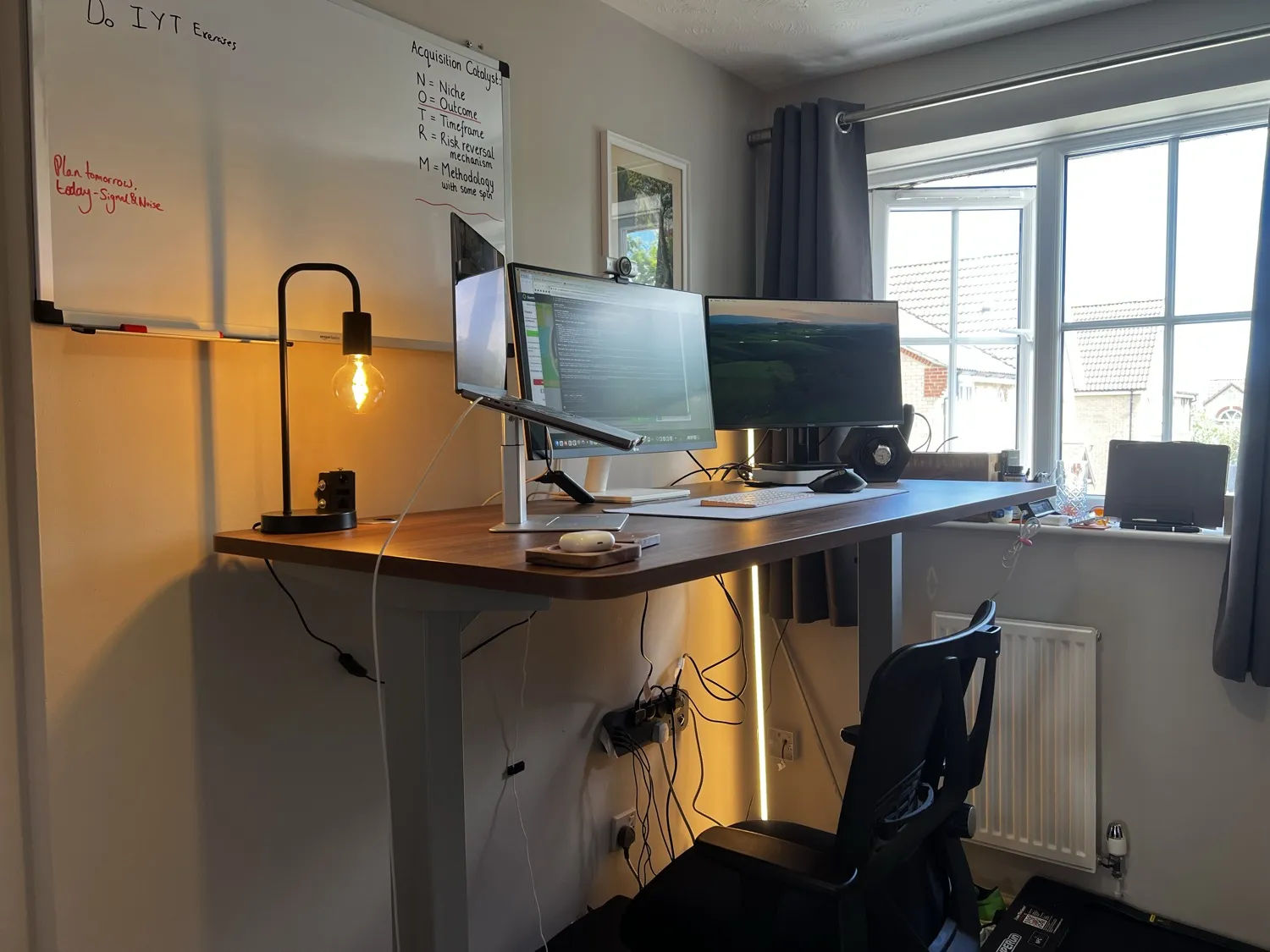
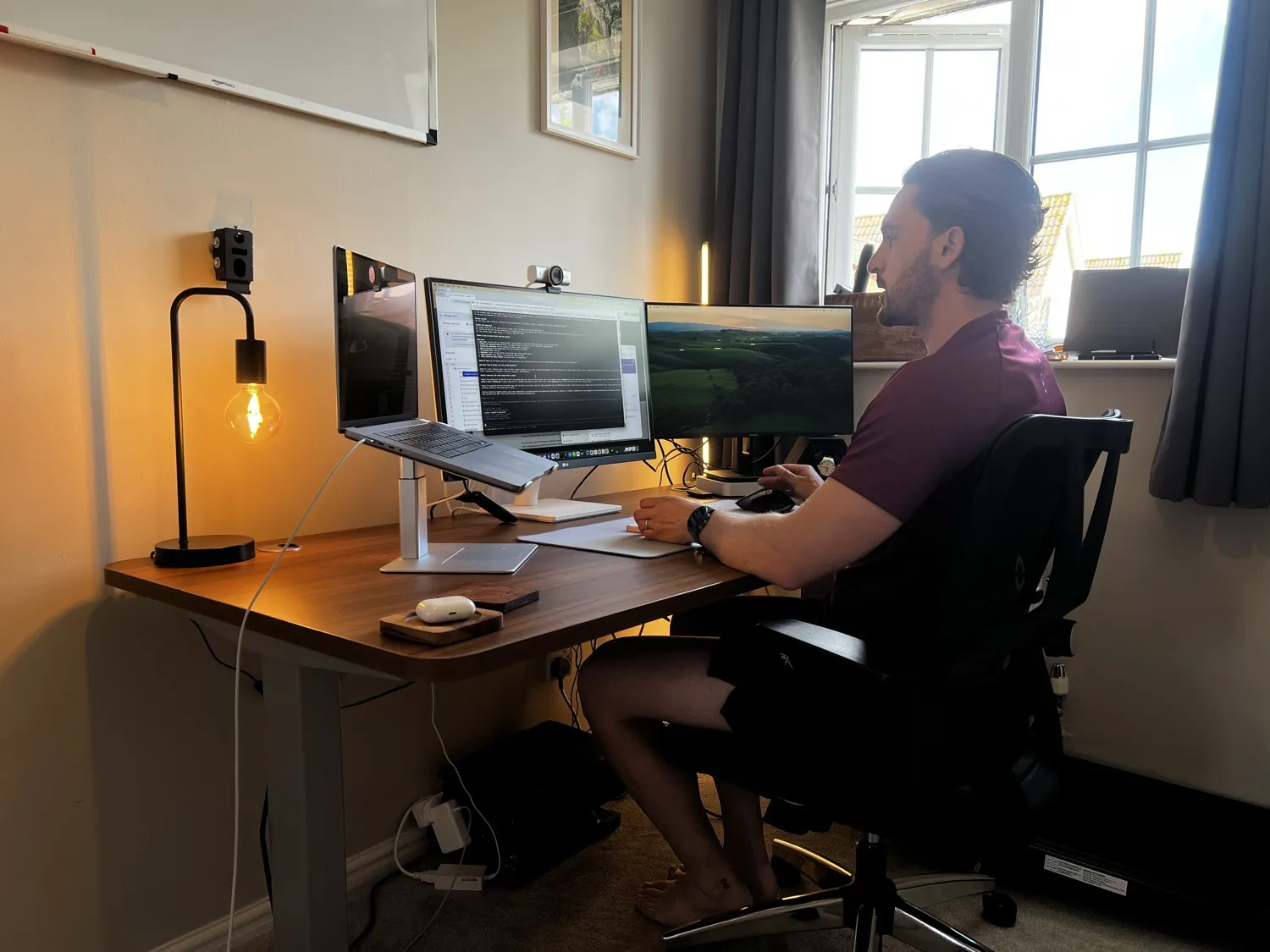
On the top I run a 16-inch MacBook Pro M1 Max on a stand, a 27-inch LG as my main centre monitor and a 24-inch Philips on the right. On the 160cm by 80cm top there is still loads of room left, I could easily fit bigger screens or more kit. I have three presets set on the controller: one for sitting, one for standing, and one for walking.
For reference I am five foot eleven. I sit at 74cm, stand at 121cm, and the worktop sits around 125cm standing, with headroom up to 128cm if I want it. So if you are taller than me, you are still well covered, and it drops low enough for a proper seated position too.
What size Desktronic HomePro should you buy?
The HomePro comes in widths from 120cm up to 200cm. I went for the 160cm by 80cm and I think it is the sweet spot for most home offices.
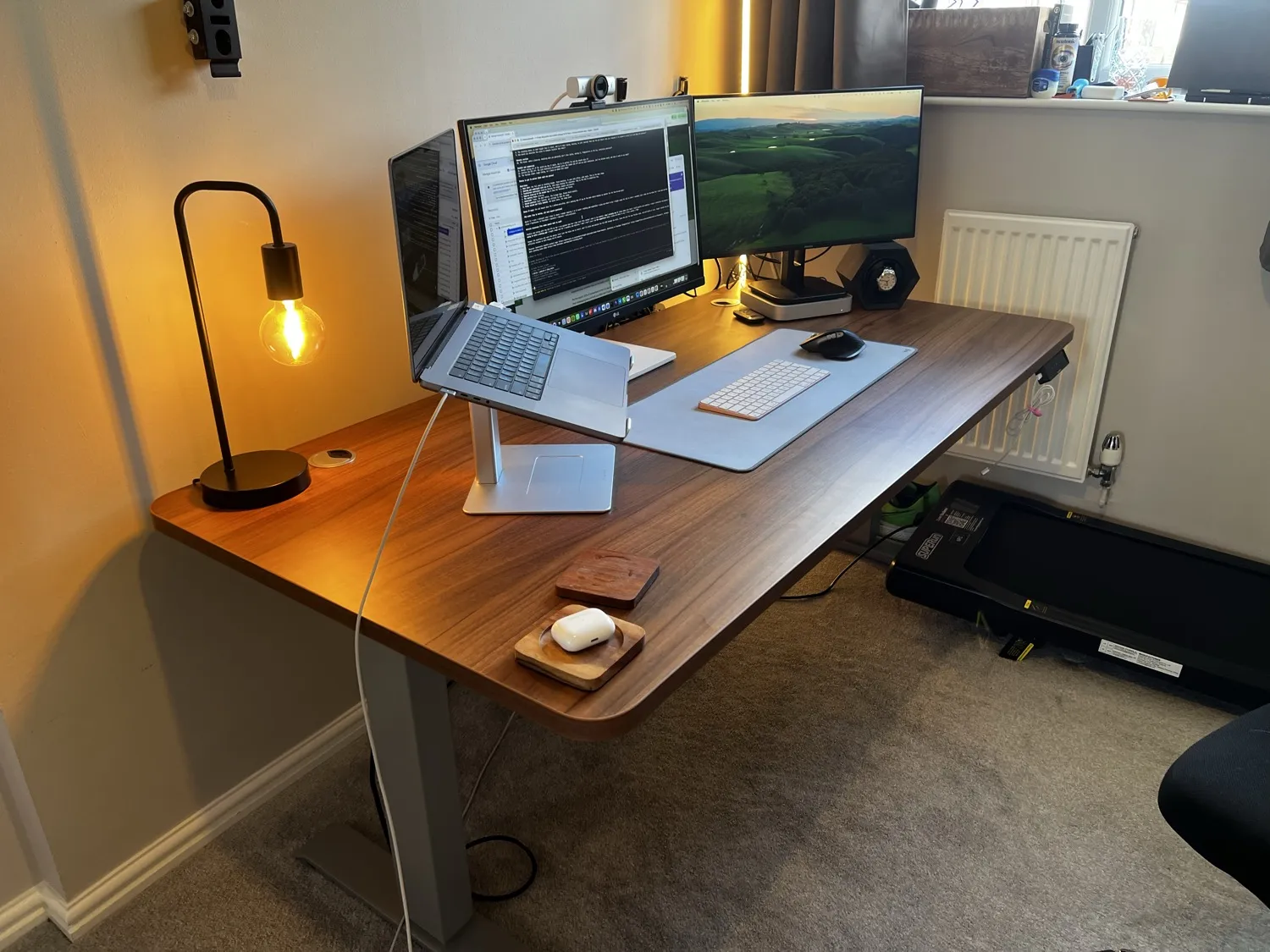
At 160cm you can fit a laptop on a stand plus two monitors and still have room to write or eat lunch, without the desk swallowing a small room. If your space is tight, the 140cm is fine for a single monitor and a laptop. If you want a proper dual-monitor plus laptop spread with elbow room, look at the 180cm or 200cm. The 80cm depth matters too, it gives you enough distance from large monitors so you are not sat too close.
Build quality and stability
The top is the star. It is thick, heavy and feels properly made, with a realistic walnut grain.
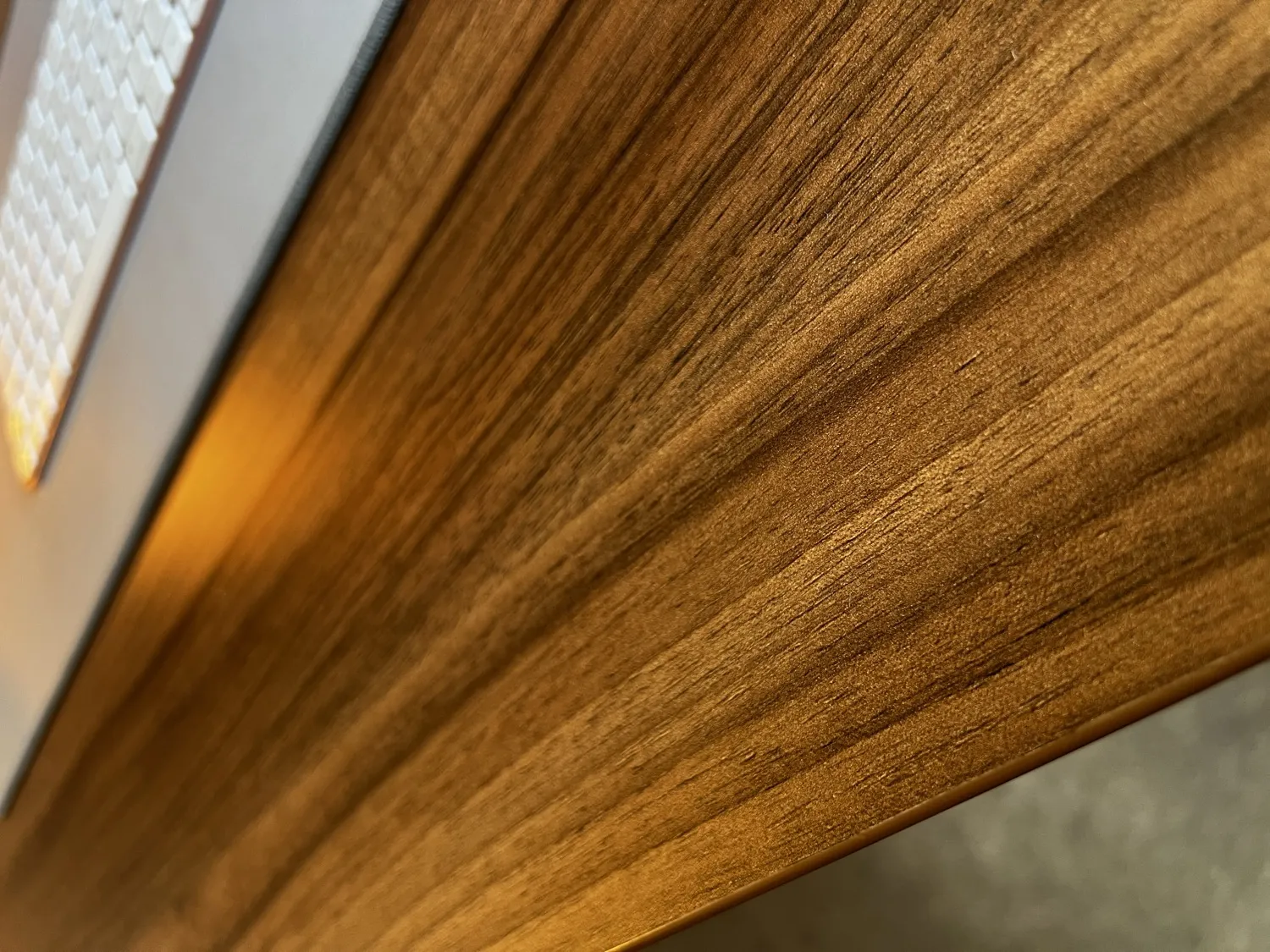
Here is the detail that won me over. In four months it has not scratched once, and it does not even leave coffee cup rings. I am not precious with it either, it gets laptops dragged across it, mugs put straight down, the lot. That alone puts it miles ahead of the thin tops on budget desks.
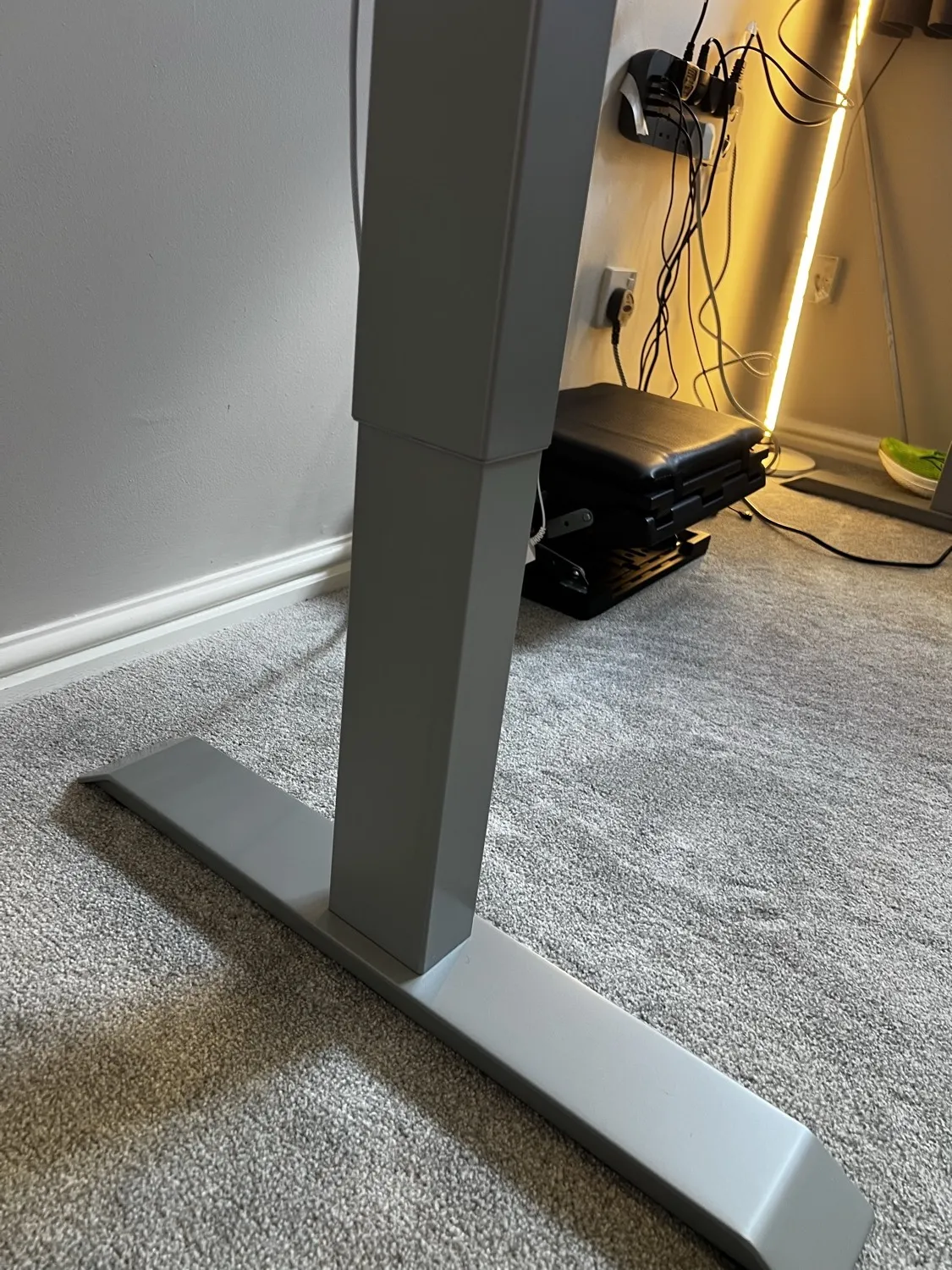
Underneath, the dual-motor frame and three-stage legs are solid steel, with the control box mounted neatly under the top and the cabling clipped along a tray.
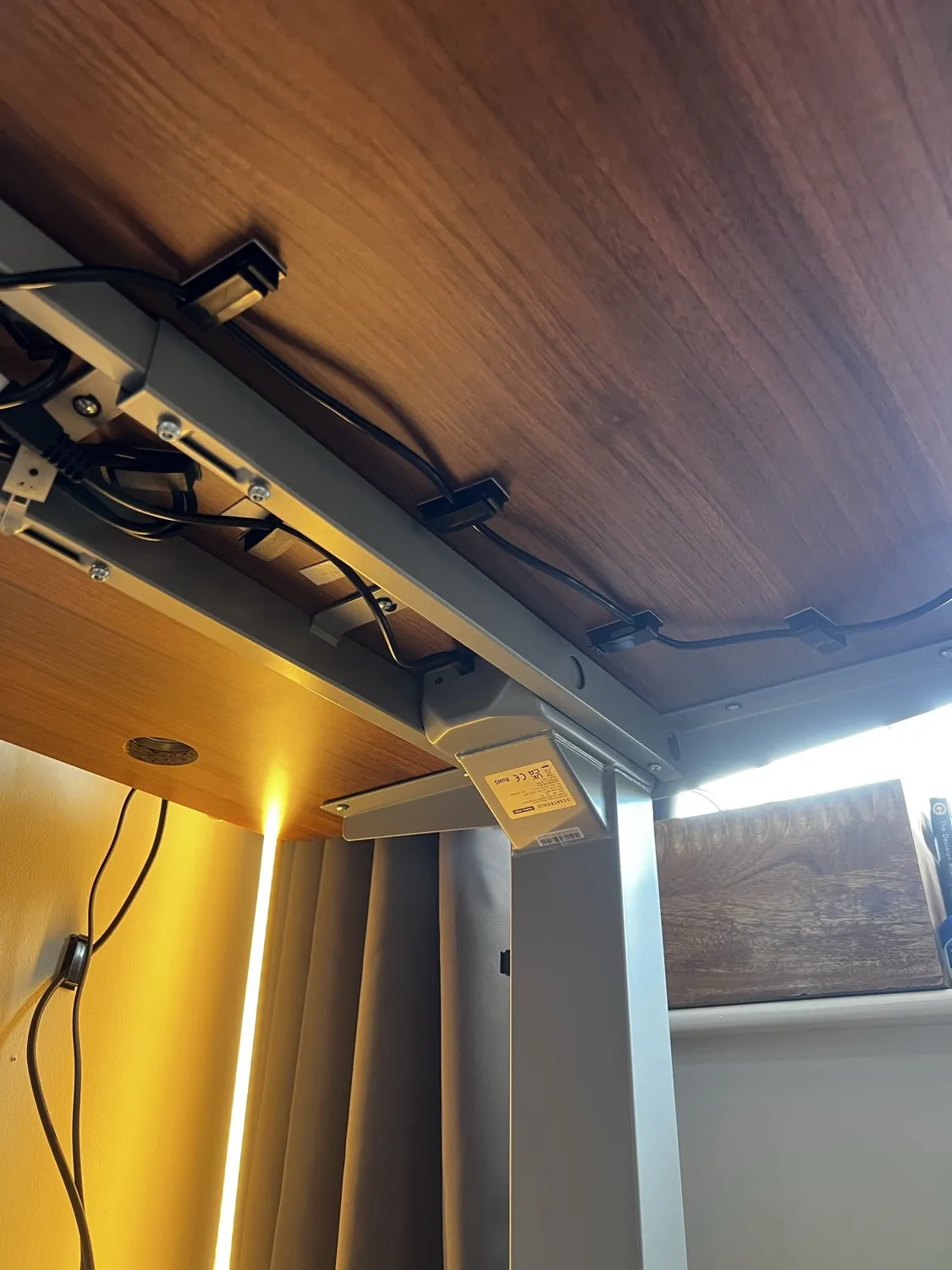
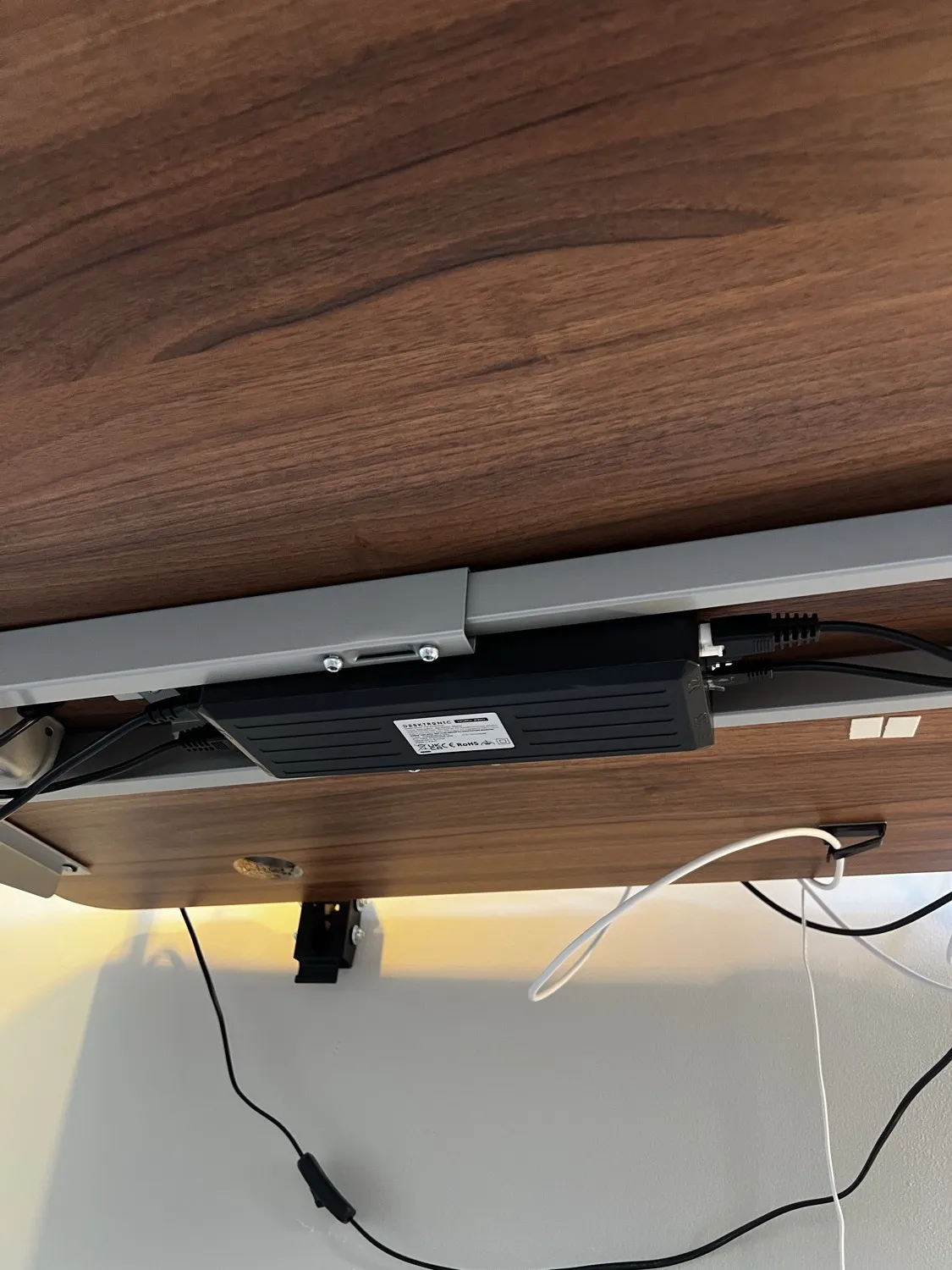
Now the honest bit on stability. There is some wobble, but it is mild and it is only high up. At seated and lower standing heights it is rock solid. It starts to show a little above roughly 90cm, and even then only if you plant your forearms on the desk and move them back and forward. Normal typing is steady. I notice it occasionally on video calls when I lean in. If that bothers you, the fix is simple: put your monitors on a monitor arm rather than leaving them on their own stands, which takes the movement out of the picture. Compared to my old cheap desk, which shook if you breathed on it, this is in a different league.
How quiet is it?
Very quiet. Desktronic quotes under 39dB and I believe it. Going up or down it makes a soft whirr for a few seconds, like a small motor or one of those pull-back toy cars. It has never interrupted a call or annoyed anyone else in the house, which matters a lot when you raise and lower it ten times a day.
The controller and presets
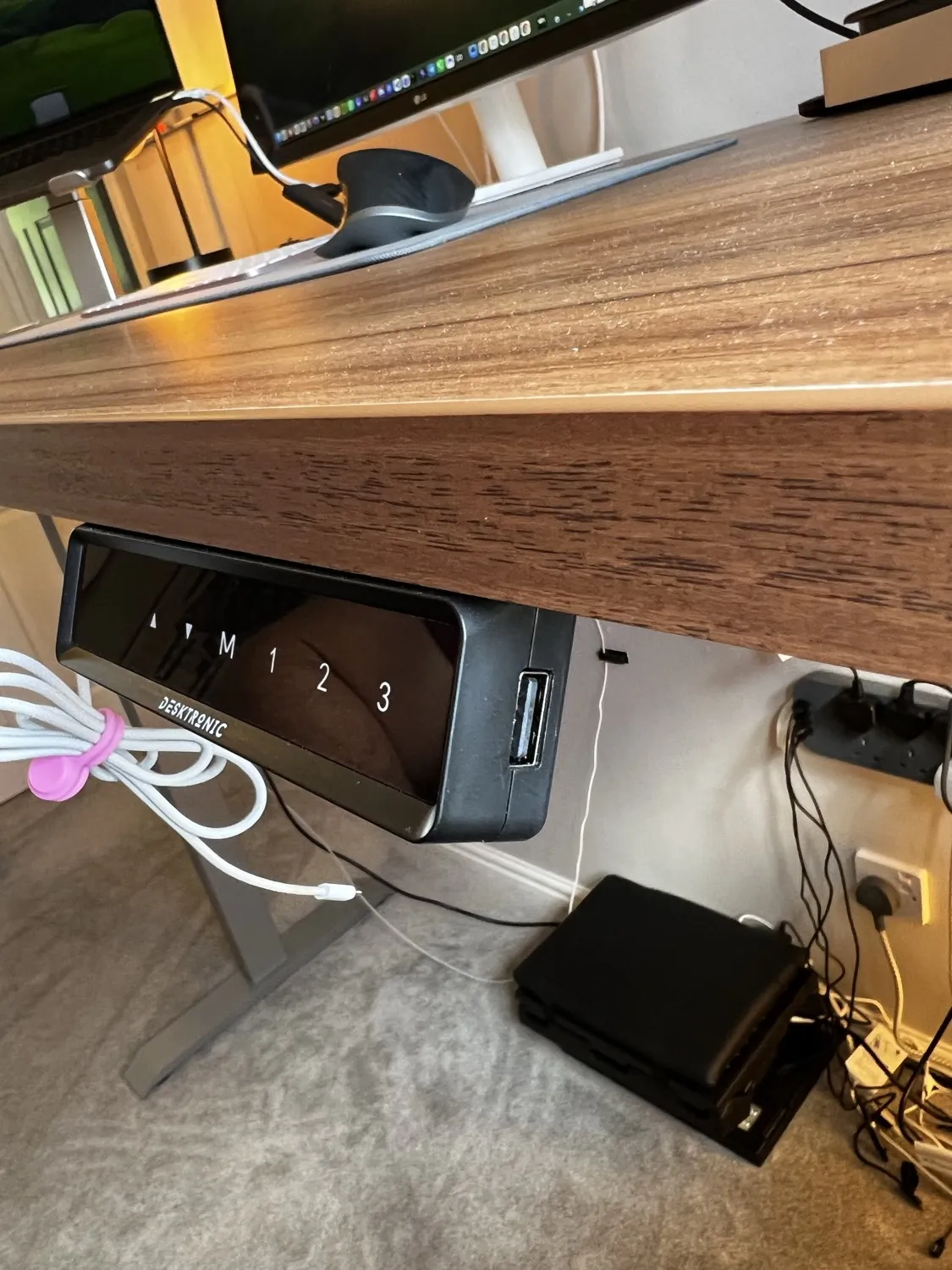
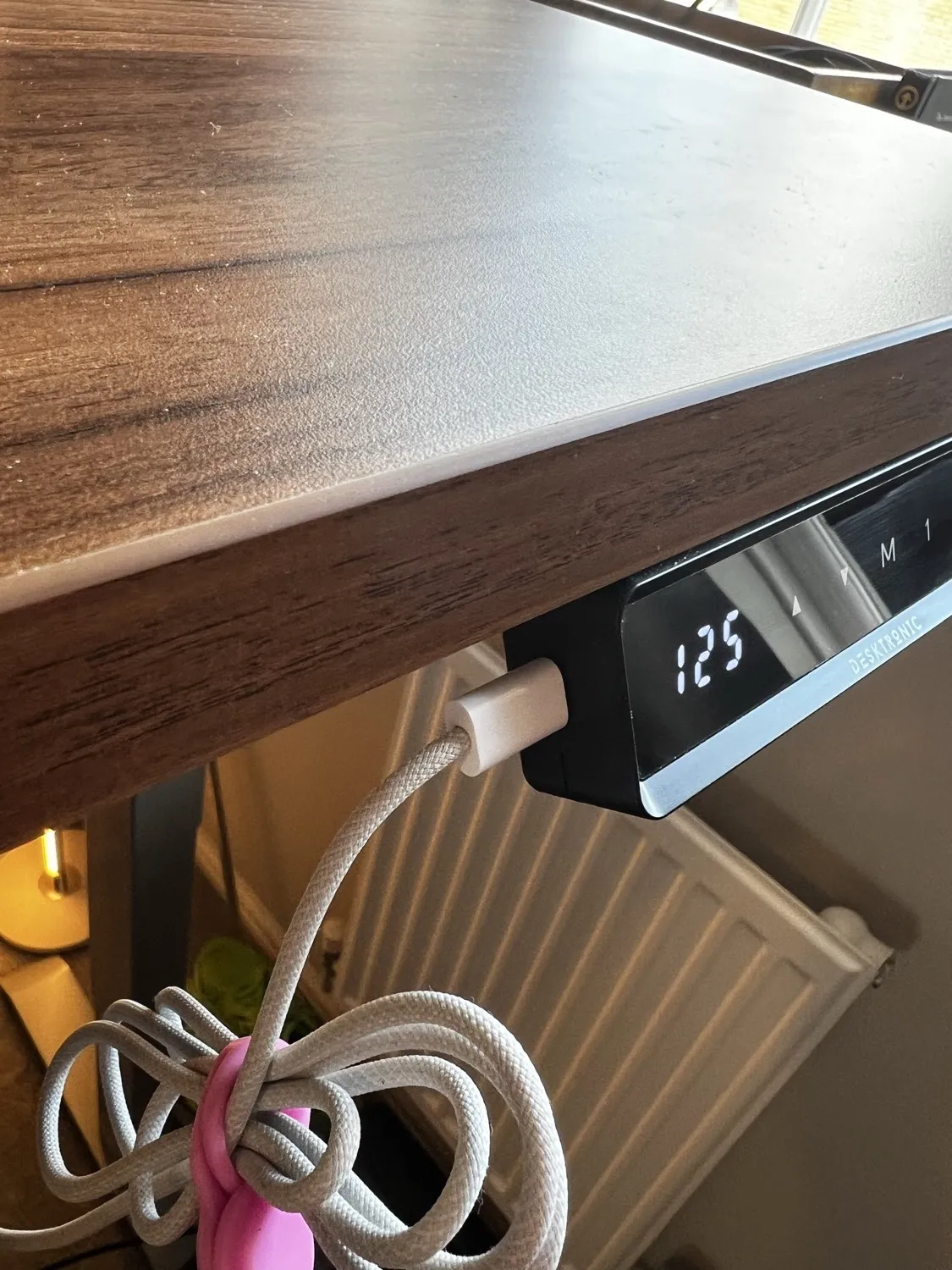
The touchscreen controller sits under the front edge. It shows the live height and has the three memory presets, plus up and down arrows and the M button to save.
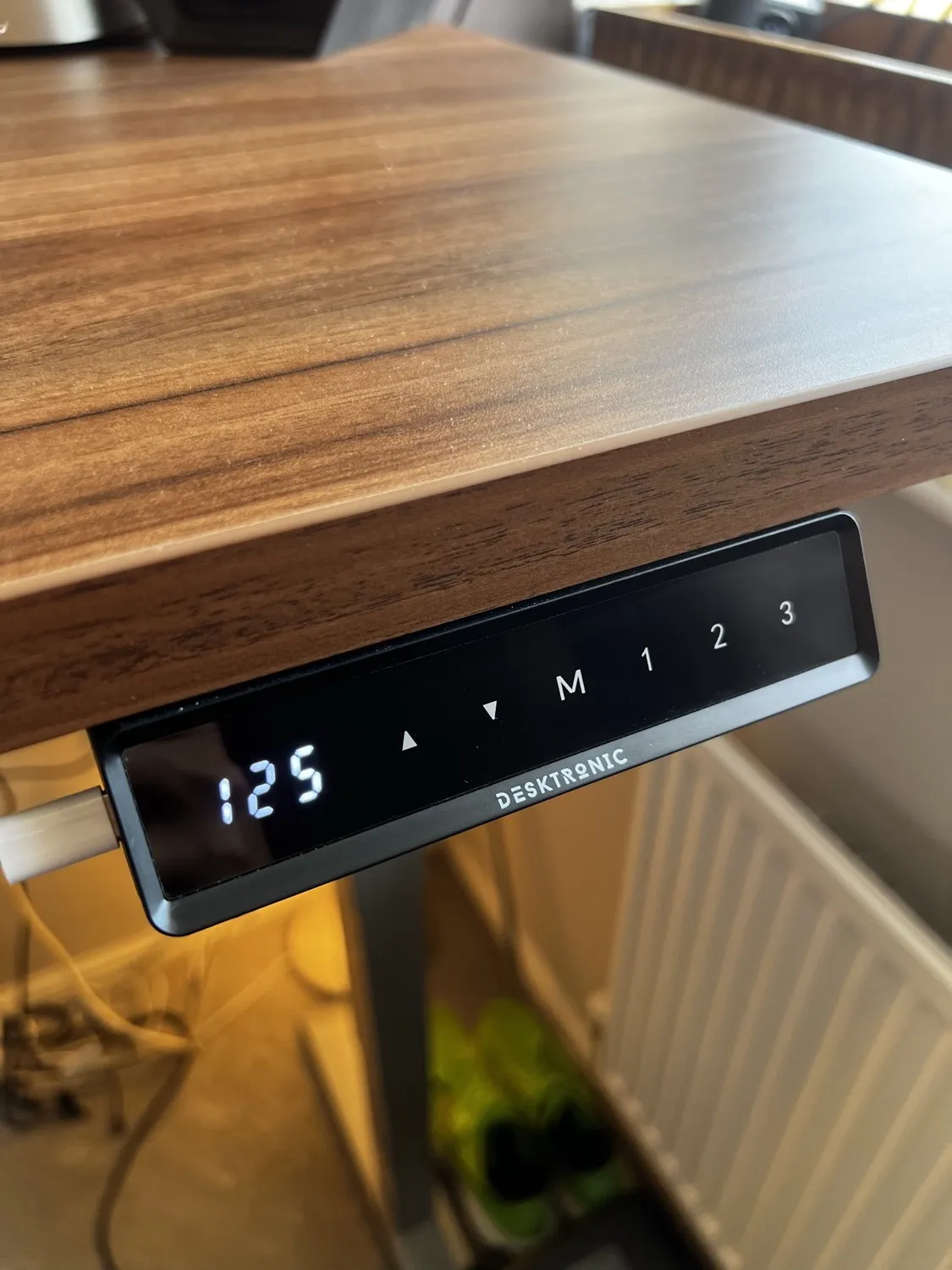
The presets are the bit that makes it stick. Without them you fiddle with the up and down arrows every time and you stop bothering to change position. With one tap for sit, one for stand and one for walk, switching becomes a habit instead of a chore. It also has built-in USB-A and USB-C charging ports on the underside, which is genuinely handy for keeping a phone or accessory topped up without reaching for a plug.
Using it with a walking pad
This is my favourite thing about the desk and the reason I would tell most desk-bound people to consider one.
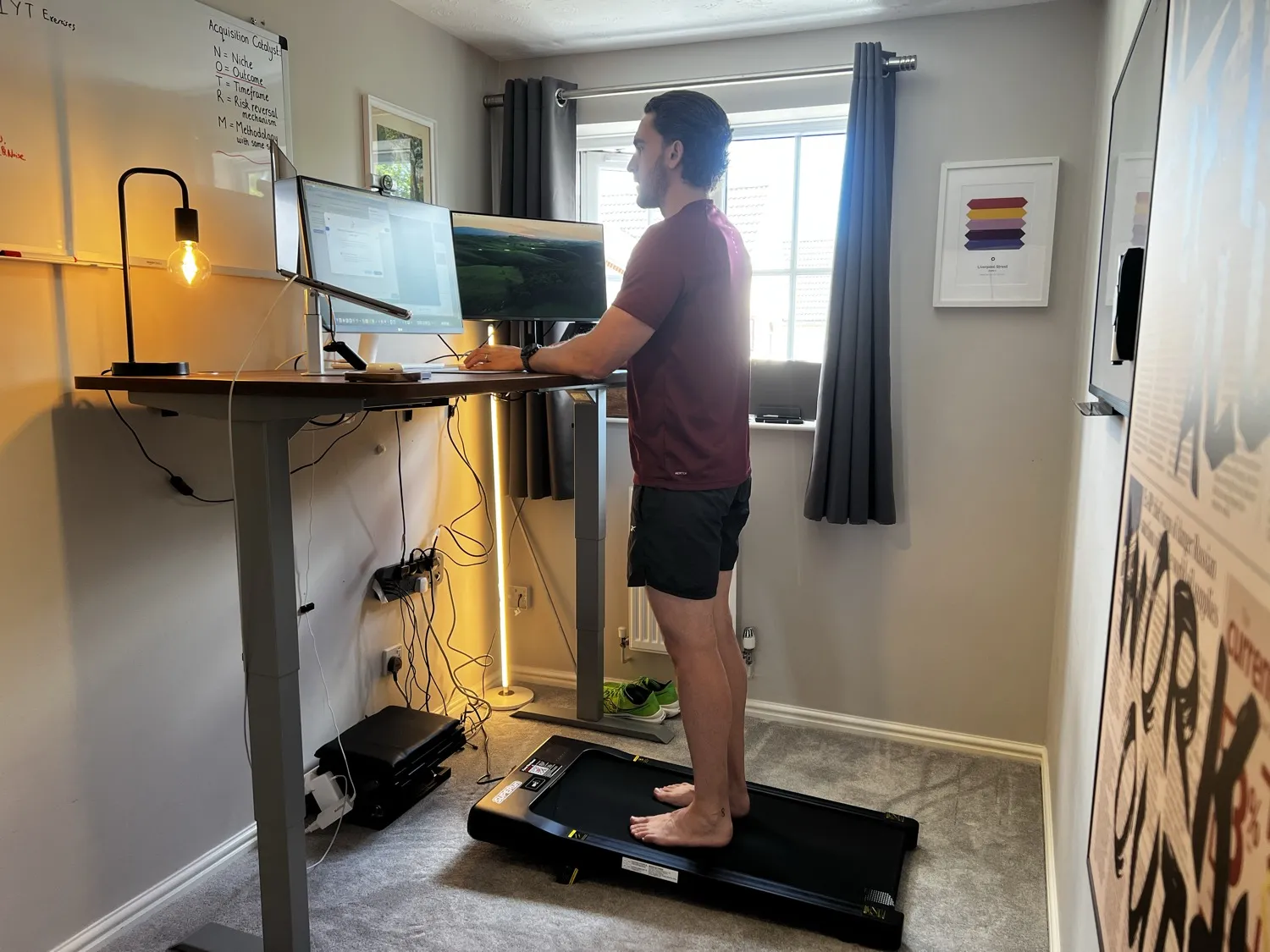
I keep a cheap walking pad underneath, just a £70 to £80 one from Amazon, and I use it on its small incline. The desk lifts high enough that even on the incline there is plenty of headroom, and you could go higher still, so a steeper incline of around ten degrees would be no problem. I walk at a slow, easy pace, the kind where you can still type and talk, during calls, reading and thinking time. I am not trying to break a sweat, I am just not sitting still.
The combination is what works. A standing desk on its own gets tiring because standing dead still is its own kind of strain. Adding a walking pad means you are gently moving instead, and one tap of preset three takes me from sitting to my walking height. One tap of preset one and I am back in the chair. If you are going to buy a standing desk, budget for a walking pad too, it is the cheap upgrade that makes the desk earn its keep.
Assembly and delivery
Delivery was free and fast, two days from memory, possibly next day. It turns up in heavy boxes, so be ready to move them.
I built it on my own in about an hour and a half. It is not difficult, but the top and frame are heavy, so it is easier and safer with two people, especially when you stand the finished desk upright. My one strong tip: use an electric screwdriver. The frame bolts are slow going by hand and a driver saves your wrist and about half the time.
Accessories worth adding
After four months, here is what I would actually pair with it:
- A walking pad. Covered above. The single best add-on.
- A monitor arm. Takes the last bit of wobble out at standing height and frees up desk space.
- Better cable clips. The self-adhesive clips in the box are weak (more on that below). A couple of pounds of decent ones on Amazon sorts it.
- The Desktronic cable tray if you want a fully tidy underside, since cables routed through the grommets need somewhere to land.
I am also tempted to try one of Desktronic's office chairs next, though that is a want rather than a need.
What are the holes in the top for?
This confused me at first, so here is the answer. The round holes are cable-management grommets. Each is a metal port with a sliding cover.
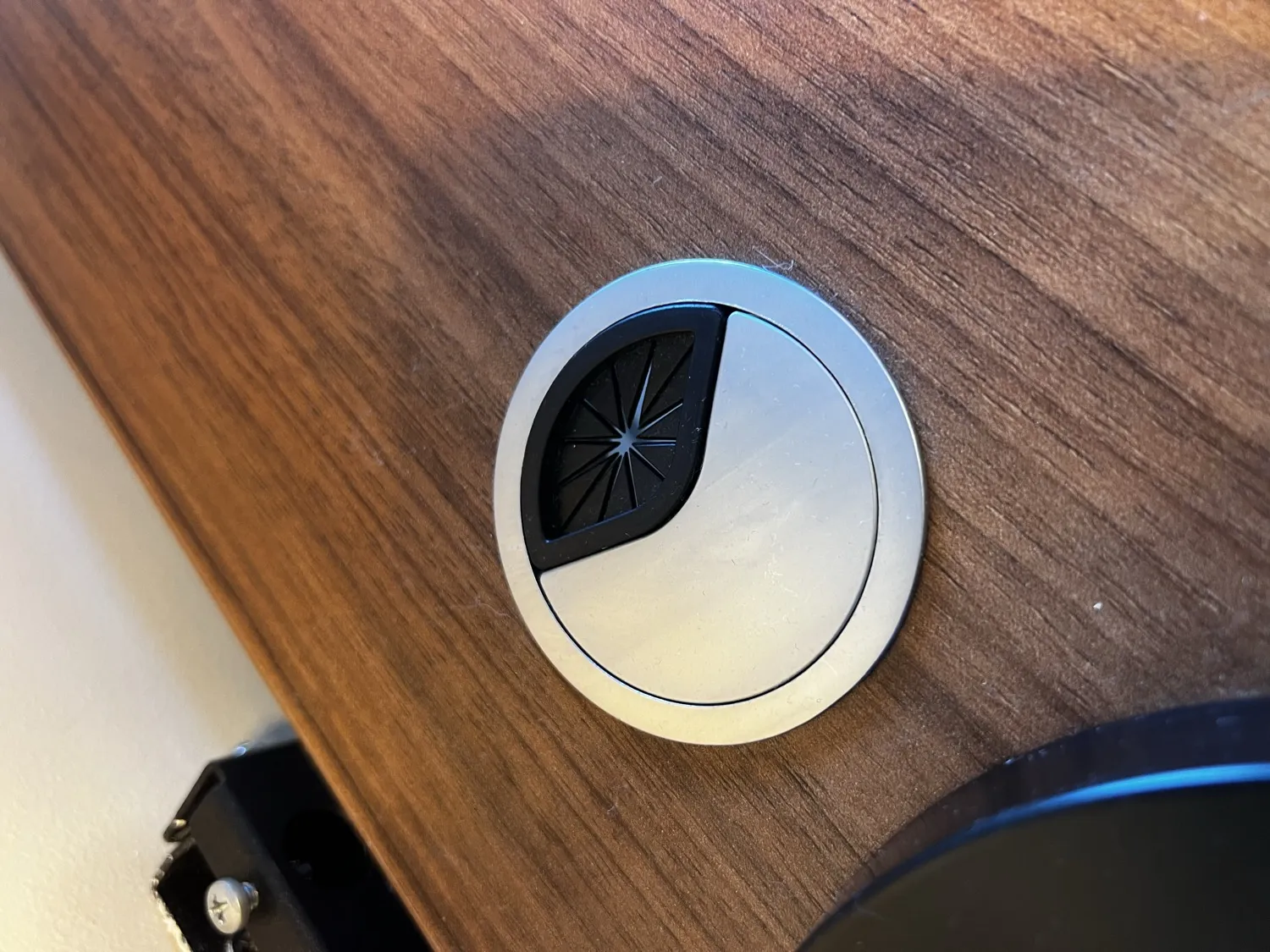
You slide the cover open and feed your cables down through the hole to the tray and frame below, which keeps the top tidy.
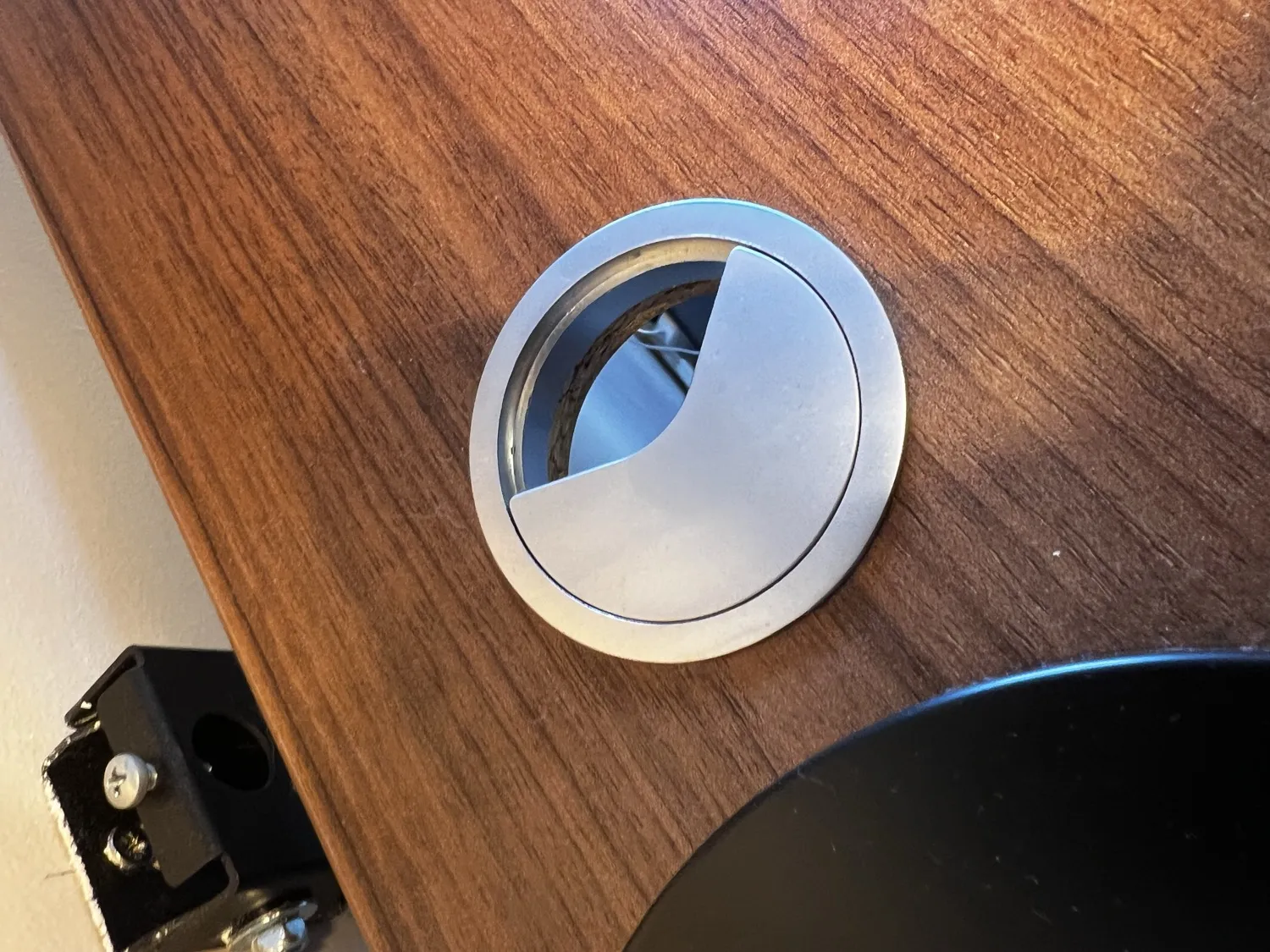
They are not designed for clamping a microphone boom arm or a monitor mount, which is why a boom arm will not sit in them. Once you know they are for routing cables, they make sense.
The things I do not love
I genuinely struggled to find faults, so these are small.
- The included sticky cable clips are useless. The self-adhesive cable-management clips that come in the box are not very sticky and fell off. I bought a different set on Amazon for a couple of pounds and those have held fine. Minor, but worth knowing.
- The controller sits close to your body when you plug a lead into it. When you charge something from the controller, the lead pokes out near the front edge towards you. It does not actually get in the way, but I would prefer the controller a little further across the desk.
That is honestly the lot. For me to reach that hard for negatives tells you how happy I am with it.
Four months on: what has held up
A lot of desk reviews are written in the first week, which tells you nothing about whether the thing lasts. Four months in, the motors are as quiet and smooth as day one, the presets have never drifted or lost their saved heights, and the top still looks new with no scratches, marks or rings. Nothing has worked loose, and I have not had to re-level the feet. For a moving piece of furniture used hard every day, that is exactly what you want to hear, and it is backed by the five-year warranty.
Desktronic reviews: what UK buyers actually report
If you searched for Desktronic reviews or the Desktronic Trustpilot score, here is the honest version of that answer.
Start with mine, because it is the only one on this page that is first hand. I bought the desk with my own money, I have used it every working day for four months, and I rate it 8.5 out of 10. Everything above is that experience.
For the wider picture, Desktronic carries public review profiles on both Trustpilot and Reviews.io. When I checked on 17 June 2026 it had over 340 UK Trustpilot reviews and a 4.7 out of 5 across its larger European stores. I am not going to quote you a fresher number than that, because the two platforms count different review pools and the UK store, the .com store and the Reviews.io profile all report separately, so any single figure lifted from one of them and dropped on a page like this one is out of date the week after it is written. Open the live profiles and read the current score yourself.
What is more useful, and more stable than the number, is what buyers keep saying. These are the themes that come up again and again, and I have marked where they match my own four months:
- It feels solid and stable under a real load. The most common positive, and it matches mine. The dual-motor frame handles a heavy multi-screen setup without complaint.
- The motors are quiet. Also matches mine. Desktronic rates it under 39dB and reviewers rarely argue with that.
- Delivery is fast and free. Mine came in two days. Reviewers report the same.
- Support responds. I have not needed to test this in four months, so I am taking the reviewers' word for it rather than my own.
And the recurring complaints, which are the part most review round-ups skip:
- The boxes are heavy and assembly is easier with two people. Fair. I did mine alone in about an hour and a half and would not want to stand the finished desk up single-handed again.
- There is some wobble at full standing height. True, and I cover exactly where it starts above. It is mild, it is only high up, and a monitor arm takes it out.
The pattern in the reviews and the pattern in my own use are close enough that I would trust them. If they disagreed, I would tell you.
Desktronic Home Pro vs the desk it replaced
The only honest comparison I can draw is against the desk I actually owned before it, a cheap single-motor Amazon desk that cost somewhere around £60 to £80 a few years back.
| Desktronic Home Pro | Cheap Amazon desk (my old one) | |
|---|---|---|
| Motors | Dual | Single |
| Weight capacity | 160kg | Low, felt flimsy |
| Top | Thick, durable, no scratches or rings | Thin and flimsy |
| Stability standing | Strong, mild wobble only up high | Wobbled constantly |
| Warranty | 5 years | Usually 1 year |
| My take | Buy it | Replaced it |
FlexiSpot, especially the E7, is the desk most people ask about alongside this one. I have never used a FlexiSpot, so it is not in that table and I am not going to tell you which is better. For what it is worth on published numbers, the HomePro is rated to 160kg against roughly 125kg for the E7 and carries a five-year warranty. How the E7 feels to live with, I genuinely do not know.
Who it is for, and who it is not
It is for anyone who works long days at a desk and wants to move more without buying a treadmill desk that costs four figures. It is ideal if you run a laptop plus monitors, want a top that survives daily abuse, and like the idea of pairing it with a walking pad. It is probably overkill if you only use a desk for an hour a day, and if you need it whisper-silent in a shared studio, note that it is quiet but not completely silent.
Price and where to buy
I paid £380 for the full 160cm desk with the walnut-effect top, bought direct from desktronic.co.uk. The frame on its own starts around £279, and there are smaller and larger sizes from 120cm up to 200cm.
If you order through my link you get £15 off any order over £200, and it works on anything on the Desktronic site, not just this desk. I earn a small commission if you buy, at no extra cost to you, which is what keeps these honest hands-on reviews going.
Claim £15 off the Desktronic HomePro with my referral link
Is the Desktronic HomePro worth it?
Yes. Four months in, it is the best desk I have owned by a distance. It is solid, quiet, lifts a heavy three-screen setup with ease, the top is bombproof, and the walking pad and three presets have genuinely changed how I work. The wobble high up and the weak cable clips are the only marks against it, and both are easy to live with or fix.
If you want a standing desk that feels close to premium without the premium price, this is an easy recommendation. 8.5 out of 10, and I would buy it again.
I run a 16-inch MacBook and two screens on it all day building Glide Marketing and The EV Pros with my dad, often using the AI tools I wrote about here. A good desk is not a luxury when it is where you spend your working life.
For a full ranked comparison of standing desks at every UK price point, including budget and premium options, read my best standing desks UK guide.
Mike McDonnell. I write The Growth Toolkit, a free Sunday email on getting the most out of AI, with the setups I use explained in plain English.
Other referral codes worth using

Mike McDonnell
Entrepreneur, author, and mental health advocate based in Great Notley, Braintree, Essex. I write about building businesses while managing bipolar disorder.
You might also like
Lovable Promo Code and Discounts: What Works (October 2026)
Looking for a Lovable promo code? There is no public code. Here are the discounts that work in October 2026, from 50% off for students to free credits.
Lovable Review: Pricing, Credits and Who It Suits (October 2026)
An honest Lovable review from someone who has built live tools with it. UK pricing, how credits work, the free plan, GitHub and who should pick something else.
Lovable vs Claude Code: Why I Switched (October 2026)
Lovable vs Claude Code from someone who used Lovable, moved to Cursor and now builds everything in Claude Code. Cost, control, and which to pick for what.